Alone in the Dark 2
Saves are stored in this browser.
Player notes
About this game
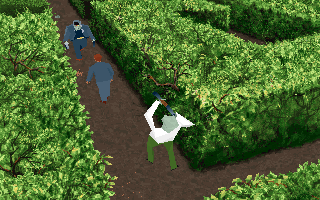
This archived Alone in the Dark 2 demo opens in a hedge maze with Edward Carnby and nearby enemies. The current build uses French action labels and displays DEMO during play. It is a short playable sample rather than the complete retail adventure.
Movement follows the character's facing direction: Up walks forward, Down walks backward, and Left or Right turns. This matters when the fixed camera changes angle. Press Enter to open the action and inventory screen, use the arrows to choose, and confirm with Enter. Combattre is the Fight action; after selecting it, hold Space with an arrow to attack.
Learn to turn and move in the opening passage before closing on an enemy. Hold the action keys long enough for an attack animation to finish. The menu also lets you inspect available actions; selecting an action is separate from performing it back in the scene.
Start here
Quick tips
Movement is relative to the character, even when the camera changes.
Combattre is the Fight action in this French demo.
Hold Space and the chosen direction long enough for the attack.
- Up / Down
- Walk forward / backward relative to the character
- Left / Right
- Turn left / right
- Enter
- Open the action/inventory screen; confirm a choice
- Arrow keys
- In menus: select an action or item
- Space + Arrow key
- With Fight selected: attack
Screens
Screenshots
Keep playing
Similar Games
Help improve this entry
Something not working?
Report a gameplay or information problem. Short reports are enough.
Archive notes
Rights and Source Notes
Browser play uses the archived Shareware release.
- Distribution
- Shareware
- Browser player
- js-dos · Browser play
- Added to archive
- 2026-07-28