Europa rescue!
Saves are stored in this browser.
Player notes
About this game
Europa Rescue is a Game Boy exploration adventure about a space station that has stopped responding. Your mission is to reach Europa and restore its systems. The opening follows a briefing and launch before handing you control aboard the spacecraft. Let the scrolling introduction finish; the first day asks you to prepare for docking.
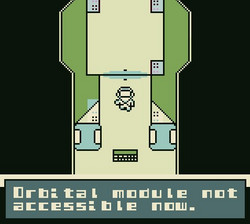
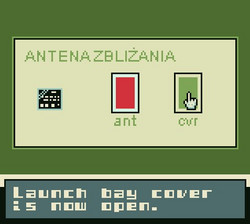
The arrows move your character and X represents the Game Boy A interaction button. Read the first task list: extend the docking antenna, deploy the docking gear and turn on RCS. Examine equipment to work out how to perform those steps, rather than trying to walk straight through the closed airlocks.
Press Enter at the title and X to advance ordinary dialogue and confirm choices. The game's introduction says progress is saved each day. Later maintenance follows the same habit of exploring, inspecting and acting on the responses you receive.
Start here
Quick tips
The scrolling opening takes time; wait for Day One and the launch to finish.
Read the docking checklist before trying to leave the spacecraft.
Face equipment before pressing X to inspect it.
- Enter
- Game Boy Start: begin from the title
- Arrow keys
- Move through the spacecraft and station
- X
- Game Boy A: interact and advance dialogue
Screens
Screenshots
Keep playing
Similar Games
Help improve this entry
Something not working?
Report a gameplay or information problem. Short reports are enough.
Archive notes
Rights and Source Notes
Browser play is available for this entry. Official project references are listed below.
- Distribution
- CC BY-SA 4.0
- Attribution
- Europa rescue! by godai / Gniazdo Swiatow.
- Browser player
- EmulatorJS · Browser play
- Added to archive
- 2026-07-23
- Official references