Seven Kingdoms: Ancient Adversaries
Save behavior varies by game. Check the notes below.
Player notes
About this game
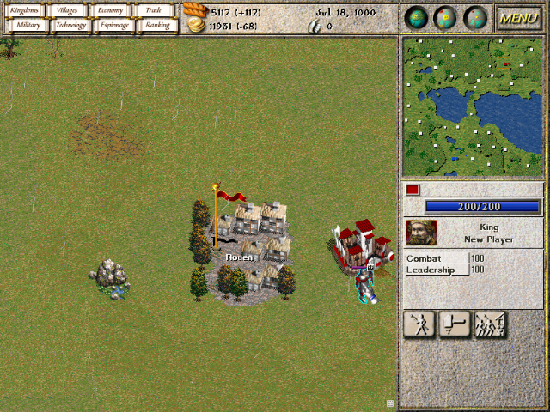
Start with a town, a fort and a king. Select the fort and choose Patrol to send its garrison outside. Now select an individual soldier and order a move across the map. Pulling the king away from the fort gives you a fighting unit, but also takes its leader away from the garrison.
Trade and diplomacy matter alongside combat. Link a mine to a factory and a market, train a spy or try to win a settlement’s allegiance. Use the minimap to keep track of distant towns while your troops are on the march.
This single-player browser edition uses 7kfans’ 2.15.6 release of the 1998 Ancient Adversaries expansion to the original Windows game. The original sound effects are included. The separate music pack is omitted. Built on redLocomotive’s web port, with changes to touch selection and map panning.
Restoration notes
Fixed touch selection after fullscreen and two-finger map panning. Long-press the ground to give a move order.
Before you play
Single-player edition with original sound effects. The separate soundtrack is omitted. Phone gestures were tested in a mobile browser simulation.
Original game & community port
Original game by Enlight Software. Community edition by 7kfans, browser port by redLocomotive.
Start here
Quick tips
Select Single Player and then New Game to start a random map.
Select your fort and choose Patrol to put soldiers on the field.
Hold still for about half a second to give an order. Use two fingers when you want to move the view.
- Esc
- Open or leave the in-game menu.
- Left click / tap
- Select a town, fort or individual unit.
- Right click / touch and hold
- Give the selected unit a contextual order. Hold unoccupied ground to move there.
- Left drag / one-finger drag
- Draw a selection box over units.
- Two-finger drag
- Pan the battlefield. The minimap tracks the visible area.
Keep playing
Similar Games
Ratings & comments
Help improve this entry
Something not working?
Report a gameplay or information problem. Short reports are enough.
Archive notes
Rights and Source Notes
Browser play is available for this entry. Official project references are listed below.
- Distribution
- GPL-2.0
- Browser player
- WebAssembly · Browser play
- Added to archive
- 2026-11-21
- Official references
- Source code
- Download open-source code packageSource code only; this is not a game ROM download.
No comments yet. Be the first to share a tip.