Dominosa
Save behavior varies by game. Check the notes below.
Player notes
About this game
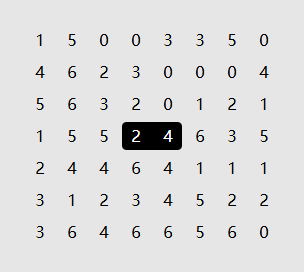
The puzzle starts after a complete set of dominoes has been laid out and its boundaries erased. Pair neighbouring numbers horizontally or vertically to reconstruct the layout. Each unordered pair belongs to the set exactly once, so 2–5 and 5–2 would be the same domino.
Tap between two numbers to join them. You can also mark a boundary to record where a domino cannot go. If you place a domino over an existing one, the game removes the overlapping tile.
Restoration notes
Integrated the original engine with touch controls and local resume.
Before you play
Progress is saved in this browser. The puzzle menus are in English.
Original game & community port
Simon Tatham and contributors to Simon Tatham’s Portable Puzzle Collection. WebAssembly build by FredyGames.
Start here
Quick tips
Find pairs that can occur in only one place. Placing one rules out its duplicates across the board.
A square with only one open neighbour has to pair with it.
- Arrow keys / Enter / Space
- Move the cursor / place domino / mark an edge
- Pointer or touch on a shared edge
- Place or remove a domino
- Right click or Alternate tap + touch
- Mark an edge as a boundary
- Game toolbar
- New puzzle, restart, undo or redo
Keep playing
Similar Games
Ratings & comments
Help improve this entry
Something not working?
Report a gameplay or information problem. Short reports are enough.
Archive notes
Rights and Source Notes
Browser play is available for this entry. Official project references are listed below.
- Distribution
- MIT
- Browser player
- WebAssembly · Browser play
- Added to archive
- 2026-11-16
- Official references
- Source code
- Download open-source code packageSource code only; this is not a game ROM download.
No comments yet. Be the first to share a tip.