Galaxies
Save behavior varies by game. Check the notes below.
Player notes
About this game
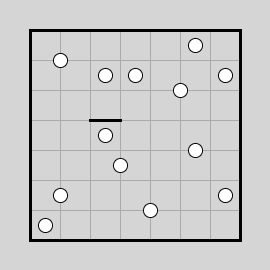
Galaxies is based on Nikoli’s Spiral Galaxies puzzle. Divide the board into connected regions with exactly one dot apiece. Each region must look the same after a half-turn around its dot. A centre can sit inside a square, on an edge or at a corner.
Tap a grid line to draw or remove a boundary. The game highlights a region once its boundary meets the rules. Optional arrow markers let you record which dot a square belongs to while the rest of its region is still uncertain.
Restoration notes
Integrated the original engine with touch controls and local resume.
Before you play
Progress is saved in this browser. The puzzle menus are in English.
Original game & community port
James Harvey and contributors to Simon Tatham’s Portable Puzzle Collection. WebAssembly build by FredyGames.
Start here
Quick tips
If you put a square in a region, look for its matching square on the opposite side of the dot.
Start near an edge where the board limits how far a region can extend.
- Pointer or touch tap on a grid line
- Draw or erase a boundary
- Right drag or Alternate tap + touch drag
- Drag an ownership marker out from a dot
- Game toolbar
- New puzzle, restart, undo or redo
Keep playing
Similar Games
Ratings & comments
Help improve this entry
Something not working?
Report a gameplay or information problem. Short reports are enough.
Archive notes
Rights and Source Notes
Browser play is available for this entry. Official project references are listed below.
- Distribution
- MIT
- Browser player
- WebAssembly · Browser play
- Added to archive
- 2026-11-16
- Official references
- Source code
- Download open-source code packageSource code only; this is not a game ROM download.
No comments yet. Be the first to share a tip.