Sliding Blaster
Saves are stored in this browser.
Player notes
About this game
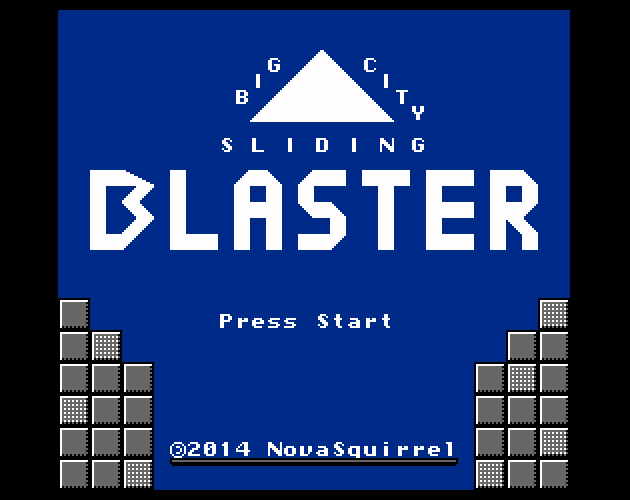
Big City Sliding Blaster is a top-down NES shooter by NovaSquirrel, inspired by Ballmaster. Your character keeps sliding through the arena. You can aim in a different direction while moving, but changing your aim alone does not turn your travel. Boost toward your aim to change course.
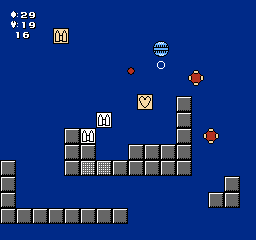
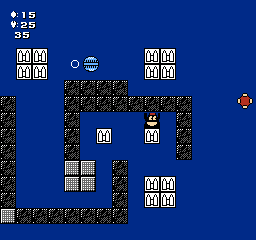
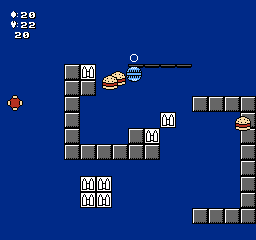
Choose Normal Game with Enter or X, then advance Billy’s opening message. In the default Simple control mode, use the arrow keys to aim, Z to shoot and X to boost. The round cursor marks your aim. Billy asks you to defeat 20 enemies per level; keep an eye on the remaining count, health and ammunition in the corner.
Shots use ammunition, so steer through ammo pickups instead of firing continuously without a plan. Boost away from approaching enemies before they surround you. The title menu also has Help/Config, where the original instructions explain the buttons and let you change the control mode. These keyboard directions describe the default Simple mode.
Start here
Quick tips
Aim first, then press X to change your sliding direction.
Watch your ammunition and collect ammo pickups.
The Help/Config screen shows the current control mode; other modes aim differently.
- Arrow keys
- Aim in the default Simple mode
- Z
- Shoot (NES B); leave Help/Config
- X
- Boost toward your aim (NES A); confirm menus
- Enter
- Confirm a title-menu choice
Screens
Screenshots
Keep playing
Similar Games
Help improve this entry
Something not working?
Report a gameplay or information problem. Short reports are enough.
Archive notes
Rights and Source Notes
Browser play is available for this entry. Official project references are listed below.
- Distribution
- Zlib code / CC-BY-4.0 assets
- Attribution
- Sliding Blaster by NovaSquirrel.
- Browser player
- EmulatorJS · Browser play
- Added to archive
- 2026-07-24
- Official references