The Aethra Chronicles: Celystra’s Bane
Saves are stored in this browser.
Player notes
About this game
The king’s young heir has been kidnapped, and your father has been imprisoned for failing to protect the royal family. Build a party to search for the missing child. Race, class, training, equipment and spells determine what each adventurer can do as you travel between settlements and dungeons.
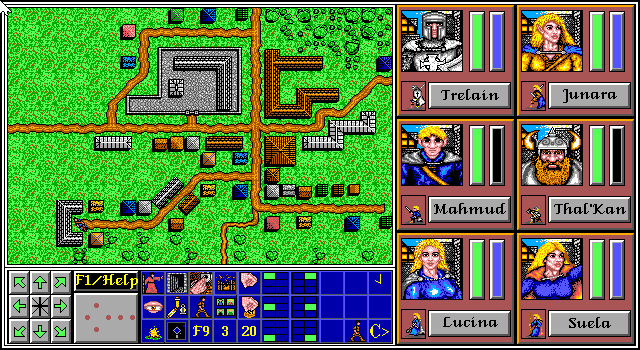
To use the original prepared party, choose Play or Load (P), select slot 4, then confirm with Y. On the map, use the arrows to move and the mouse to select actions. For a new save, press S to open the save menu, then S again and choose a slot from 1 to 3. Confirm with Y, enter a name, and use the player’s Save game files button. Next time, press P and choose the slot you saved.
This is the original two-disk 1.1 shareware distribution by Michael W. Lawrence. It contains Chapter One, The Book of Prophecy. The original credits identify Philip Mann for graphics and Matthew Mooney for music and sound.
Start here
Quick tips
Keep slot 4 for the original party and save new progress in a separate slot.
The Pregenerated Party option reduces the work of creating your companions.
Equip weapons and armor before leaving town.
- P
- Open Play or Load Game on the main menu
- S
- Open Start or Restart Game on the main menu
- Number keys
- Choose a numbered slot or character option
- Enter
- Confirm typed names and advance text prompts
- Y / N
- Confirm or decline a prompt
- Arrow keys
- Move the party on the map
- Esc
- Leave a menu or prompt when the game allows it
- S (on the map)
- Open Save or Restore Games
- Mouse left button
- Choose menu items, confirm prompts and use the on-screen action icons
Keep playing
Similar Games
Ratings & comments
Help improve this entry
Something not working?
Report a gameplay or information problem. Short reports are enough.
Archive notes
Rights and Source Notes
Browser play is available for this entry. Official project references are listed below.
- Distribution
- Original shareware vendor license
- Browser player
- js-dos · Browser play
- Added to archive
- 2026-11-19
- Official references
No comments yet. Be the first to share a tip.