Alien Breed: Tower Assault
Saves are stored in this browser.
Player notes
About this game
Alien Breed: Tower Assault is a top-down science-fiction action game built around exploring enclosed rooms and corridors while fighting alien creatures. This archived DOS copy runs TA_DEMO, the playable demo. The opening mission is labelled Civilian Level 2: its briefing describes a hospital wing and domestic areas, with a bridge leading to the eastern tower. Those details describe this demo's starting point, rather than the beginning of the full campaign.
Let the publisher logos finish, then press Alt to reach the options screen. Leave Control Type on Keyboard for these instructions. Use short Up or Down taps to highlight Start Assault and press Alt to confirm. Enter Missioncode is a separate menu item; if you open its blank restart-code field by mistake, Enter returns to the options. After the briefing, Alt continues into the level.
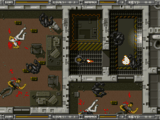
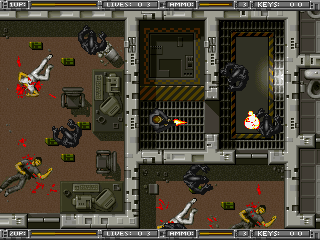
Use the arrow keys to move and Alt to fire in the direction your character faces. The screen follows your movement, while the upper status strip shows health, lives, ammunition and keys. In the starting area, alien creatures occupy the neighbouring rooms, so check the available exits before moving out of the central enclosure. Press P to pause the mission and press it again to resume. F1 recalls the current briefing.
The demo's built-in keyboard help also lists M for the area map, F2 for held smartcards and F5 to change player one's weapon. The menu offers a two-player option, but this guide covers the opening keyboard-controlled single-player session. It does not assume access to the full game's missions, or that every weapon is available in the demo.
Start here
Quick tips
Choose Start Assault rather than Enter Missioncode when starting a fresh attempt.
Watch the ammunition bar while firing; the HUD also tracks your remaining lives and keys.
Use F1 to revisit the briefing's description of the sector and its route to the eastern tower.
- Up / Down
- Select an item in the options menu
- Alt
- Confirm a menu item, continue the briefing, or fire during play
- Arrow keys
- Move your character during the mission
- P
- Pause or resume the mission
- F1
- Recall the current mission briefing
- M
- Open the area map, as listed in the demo's help
- F2
- View held smartcards, as listed in the demo's help
- F5
- Change player one's weapon, as listed in the demo's help
Screens
Screenshots
Keep playing
Similar Games

Help improve this entry
Something not working?
Report a gameplay or information problem. Short reports are enough.
Archive notes
Rights and Source Notes
Browser play uses the archived Shareware release.
- Distribution
- Shareware
- Browser player
- js-dos · Browser play
- Added to archive
- 2026-07-28