Christmas Carols
Saves are stored in this browser.
Player notes
About this game
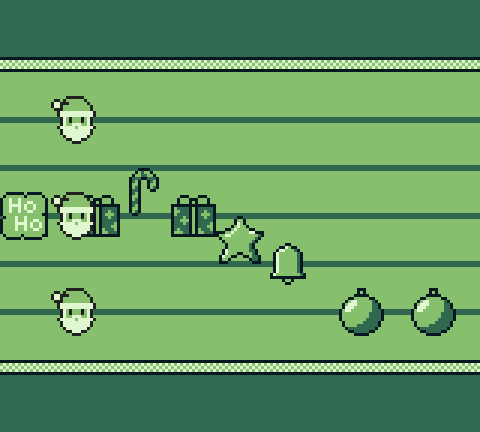
Christmas Carols is a rhythm game built around festive music and streams of button icons. The goal is to match the displayed inputs to the music and improve your score. Each icon represents a Game Boy button, so learn the symbols before attempting a harder arrangement.
Press Enter at the title to reach the difficulty choice, use Up and Down to choose, and X to confirm. Easy uses the A and B buttons; in this player those are X and Z. Medium adds Left and Right, while Hard also asks for Up and Down. Press the matching key when its icon reaches the timing point.
Start with Easy to learn the beat and the two button symbols. When that feels manageable, increase the number of directions you must recognize. Focus on the next icon while keeping the music's pulse; pressing many unrelated keys makes it harder to practise the intended pattern.
Start here
Quick tips
Start on Easy to learn the A and B symbols.
Here A is X and B is Z; use the arrow keys for directional icons.
Listen to the pulse while watching the next icon.
- Enter
- Open the difficulty menu from the title
- Up / Down
- Choose difficulty; match vertical icons on Hard
- X
- Game Boy A: confirm difficulty; match A icons
- Z
- Game Boy B: match B icons
- Left / Right
- Match horizontal icons on Medium and Hard
Screens
Screenshots
Keep playing
Similar Games
Help improve this entry
Something not working?
Report a gameplay or information problem. Short reports are enough.
Archive notes
Rights and Source Notes
Browser play is available for this entry. Official project references are listed below.
- Distribution
- MIT code / CC-BY-4.0 assets
- Attribution
- Christmas Carols by invertedHat.
- Browser player
- EmulatorJS · Browser play
- Added to archive
- 2026-07-24
- Official references