Cipher
Saves are stored in this browser.
Player notes
About this game
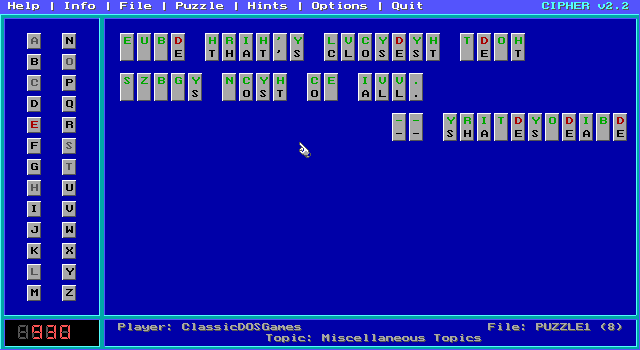
Cipher turns a quotation into a substitution puzzle. Each encrypted letter consistently stands for another letter, and your task is to reconstruct the original words. The supplied documentation identifies version 2.2 and describes a supplied puzzle collection; additional registered collections are not assumed to be included here.
In keyboard mode, first type the letter you want to use, then type the encrypted letter it should replace. That replacement appears everywhere in the quotation. To erase a guess, select Space and then the encrypted letter. Reusing a replacement letter elsewhere removes its earlier assignment.
Mouse mode offers the same process through the alphabet and puzzle panels. Right-click a position to remove its guess. F1 opens help; N and P move through help screens and Q closes help. Repeated letters and short words provide useful starting points.
Start here
Quick tips
A replacement changes every occurrence of that encrypted letter.
Use repeated letter patterns to test a guess before filling longer words.
- Letter keys
- Choose a replacement, then the encrypted letter in keyboard mode
- Space
- Select an empty replacement to erase a guess
- F1
- Open help
- N / P
- Next / previous help screen
- Q
- Close the help screens
- Left click
- Select a letter in the alphabet panel, then place it in the puzzle
- Right click
- Remove the guess at the pointed puzzle position
Screens
Screenshots
Keep playing
Similar Games

Help improve this entry
Something not working?
Report a gameplay or information problem. Short reports are enough.
Archive notes
Rights and Source Notes
Browser play uses the archived Shareware release.
- Distribution
- Shareware
- Browser player
- js-dos · Browser play
- Added to archive
- 2026-07-28