Corncob 3D
Saves are stored in this browser.
Player notes
About this game
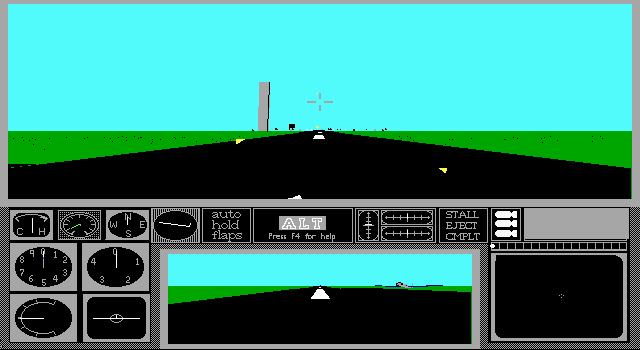
Corncob 3D puts you in a propeller fighter against flying saucers and defended ground sites. Its training missions teach the cockpit gauges, throttle and flight controls. In a combat mission, switch to the map to get your bearings.
Choose N at the joystick prompt for keyboard controls. Enter opens training and accepts the briefing. Hold keypad + for throttle, then gently tap keypad 2 to lift the nose after the speed reaches 150 mph. F4 opens the original cockpit help.
This is MVP Software’s DOS v3.42 shareware edition. After leaving the mission, use Save game files to keep the pilot records and settings in this browser.
Start here
Quick tips
Use the numeric keypad for flight controls.
Start with keyboard training and check the speed gauge before taking off.
Use short taps when correcting your heading.
- Enter
- Confirm startup choices and begin a mission
- Y / N
- Answer the original setup prompts
- Numeric keypad
- Pitch with 8 and 2, bank with 4 and 6, and steer on the runway with 7 and 9
- Numpad + / Numpad -
- Increase or decrease throttle
- Num Lock
- Switch the keypad between flying and views
- F4
- Show the cockpit help
- P
- Pause or return to the cockpit
- M
- Toggle the map in a combat mission
- A
- Toggle the autopilot
- Esc
- End the current mission
Keep playing
Similar Games
Ratings & comments
Help improve this entry
Something not working?
Report a gameplay or information problem. Short reports are enough.
Archive notes
Rights and Source Notes
Browser play is available for this entry. Official project references are listed below.
- Distribution
- MVP Software original shareware license
- Browser player
- js-dos · Browser play
- Added to archive
- 2026-11-19
- Official references
No comments yet. Be the first to share a tip.