Dotso
Saves are stored in this browser.
Player notes
About this game
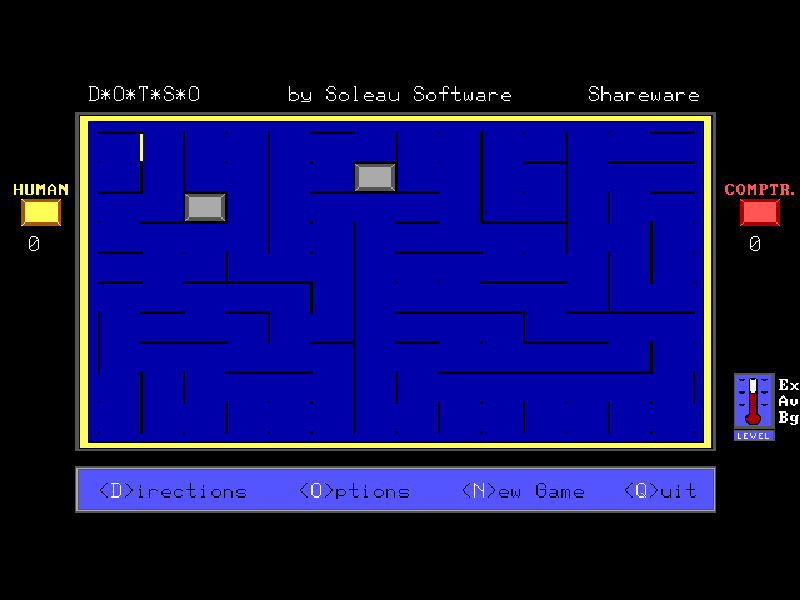
Dotso is William Soleau’s take on dots and boxes. Players add one line at a time, trying to close the fourth side of a square and claim it. Some lines are already on the board, and gray squares cannot be captured, so each new layout asks you to rethink familiar patterns.
Move the line cursor with the arrow keys, press Space to switch between horizontal and vertical, then Enter to draw. Completing a box earns another turn. When a capture opens a chain of available boxes, the game fills the remaining available captures automatically after your first one.
The 1.1 shareware edition pairs a human yellow player with a red computer opponent. The first turn can vary, so let the opening announcement finish. O opens the options, including Beginner, Average and Expert computer levels; the default is Average. The two-human option belongs to the registered edition and is not part of this browser release.
Start here
Quick tips
Space changes the line’s orientation; Enter actually places it.
Check the gray blocked squares before assuming a line will complete a box.
Beginner is available in O → player settings if the default Average opponent is too strong.
- Arrow keys
- Move the line cursor
- Space
- Switch between horizontal and vertical lines
- Enter
- Draw the selected line or continue an opening prompt
- O
- Open options and computer difficulty
- D
- Read the original directions
- N
- Start a new board
- Q
- Quit the original game
Keep playing
Similar Games
Ratings & comments
Help improve this entry
Something not working?
Report a gameplay or information problem. Short reports are enough.
Archive notes
Rights and Source Notes
Browser play is available for this entry.
- Distribution
- Shareware
- Browser player
- js-dos · Browser play
- Added to archive
- 2026-11-02
No comments yet. Be the first to share a tip.