Duke Nukem
Saves are stored in this browser.
Player notes
About this game
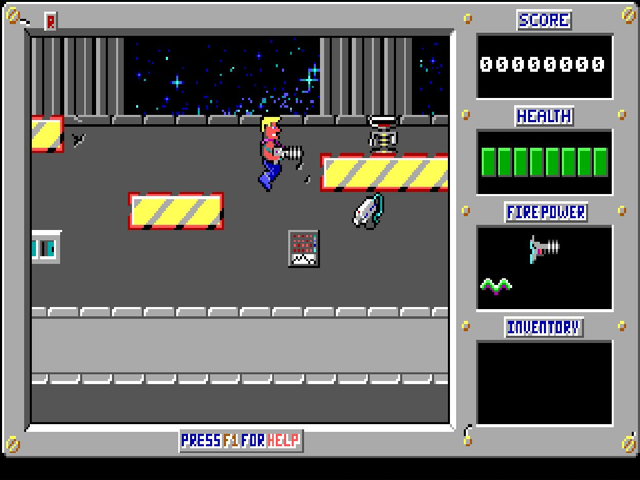
Duke Nukem began as a side-scrolling DOS platform game from Apogee in 1991. In its first episode, Shrapnel City, Duke follows Dr. Proton through a city overrun by Techbots. Large scrolling stages combine shooting, jumps, locked routes and equipment to collect. This is the original 2D game, separate from the later Duke Nukem 3D.
This shareware package contains episode one. Its original title screen and documentation use the spelling Duke Nukum; the other two episodes advertised in the game are not included. Press a key past the opening screens, then S at the main menu to start. Enter advances the opening dialogue.
Left and Right move Duke, Ctrl jumps and Alt fires. Up is the action key for elevators, teleporters, key slots, doors and notes. These bindings come from this build’s Instructions screens; the Game Setup menu can change them. Food and drinks restore health, while equipment such as boots and extra pistols improves what Duke can do.
Watch for enemies above and below as the screen scrolls. Open boxes carefully and look for keys before leaving an area. The original game allows saving and restoring only in the small hallways between levels, so use those breaks. After making an in-game save, the player’s Save button preserves changed files in this browser; it is not a cloud save.
Start here
Quick tips
Press S at the main menu to start; Enter advances the opening dialogue.
Use Ctrl to jump and Alt to shoot. Up interacts with doors, elevators, teleporters and notes.
Save in the hallways between levels. The original game does not allow saving at any point in a level.
- Left / Right
- Move
- Ctrl
- Jump
- Alt
- Fire
- Up
- Use doors, elevators, teleporters, key slots and notes
- S
- Start a new game from the main menu
- Enter
- Advance opening dialogue or confirm
- Esc
- Open the menu or go back
- F1
- Open in-game help
Keep playing
Similar Games
Help improve this entry
Something not working?
Report a gameplay or information problem. Short reports are enough.
Archive notes
Rights and Source Notes
Browser play is available for this entry.
- Distribution
- Shareware
- Browser player
- js-dos · Browser play
- Added to archive
- 2026-10-14