Omega
Save behavior varies by game. Check the notes below.
Player notes
About this game
In Omega, the city is part of the adventure. Roll a character, visit the Legion of Destiny and try to enlist. The centurion checks your strength and constitution. If you pass, you leave with a short sword, leather armor and a bank card for your pay. Other paths lead through the arena, temples or the wilderness outside the walls.
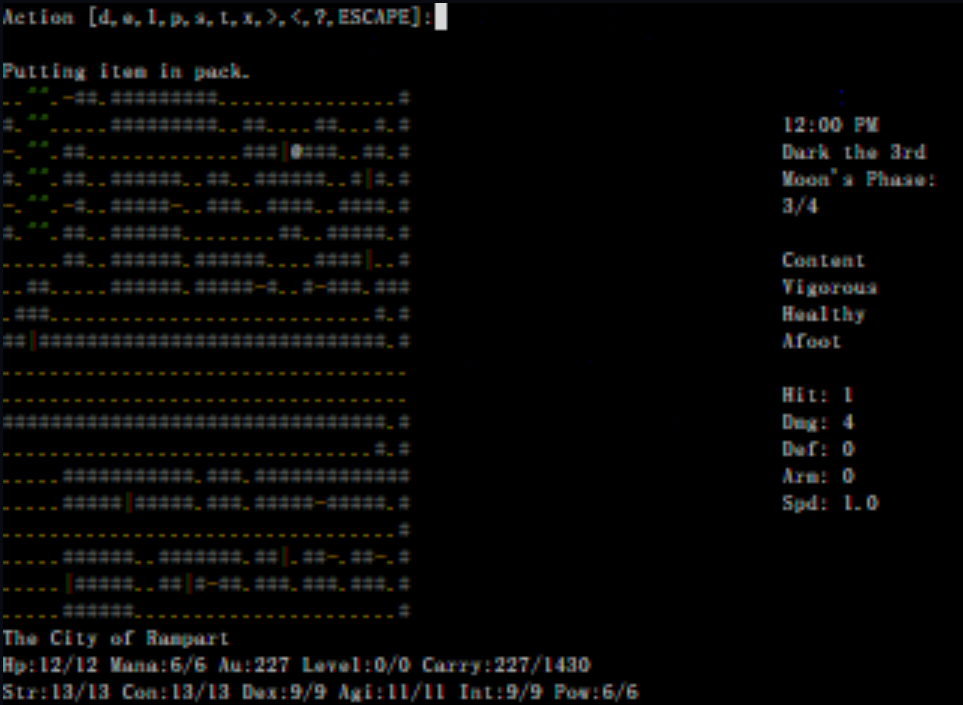
An item you pick up first appears in a temporary slot called “up in air.” Open the inventory, put it in your pack with p and press Esc to return to the map. The same letter has a different meaning in town. On a touch screen the Stow button appears at the inventory prompt.
This text-mode edition is built from Omega 0.90-pa9. Press capital S to save and quit. Wait for “Game Saved.” before closing the tab. On your next visit the game restores the character and consumes that save. Save again before closing your next session.
Restoration notes
Added touch controls for eight-way movement and inventory management. The save confirmation now waits for browser storage to finish writing.
Before you play
Original English text. A successful restore consumes the local save. Save and quit again before leaving.
Original game & community port
Omega by Laurence R. Brothers and the Omega maintainers. Browser terminal by FredyGames.
Start here
Quick tips
Use Space whenever MORE appears, including during inventory actions.
In Rampart, M opens the destination prompt. Enter merc to visit the mercenary guild.
Press ? on the map to read the original help, including how to equip items and fight.
- h j k l / y u b n
- Walk in eight directions. The touch direction pad uses the same keys.
- Space / Esc
- Acknowledge MORE with Space. Use Esc to leave the inventory.
- g / i
- Pick up an item underfoot, or open your inventory.
- p / s (inventory)
- Stow the selected item or view the pack. These commands apply inside the inventory.
- M
- Travel to an establishment in Rampart. Enter merc for the Legion.
- Shift+S
- Save and quit. Confirm with Y and wait for Game Saved.
- Touch controls
- Use the direction pad, Pick up and Stow. Use Type for names, destinations or additional commands.
Keep playing
Similar Games
Ratings & comments
Help improve this entry
Something not working?
Report a gameplay or information problem. Short reports are enough.
Archive notes
Rights and Source Notes
Browser play is available for this entry. Official project references are listed below.
- Distribution
- LGPL-2.0
- Browser player
- WebAssembly · Browser play
- Added to archive
- 2026-11-21
- Official references
- Source code
- Download open-source code packageSource code only; this is not a game ROM download.
No comments yet. Be the first to share a tip.