Satori
Saves are stored in this browser.
Player notes
About this game
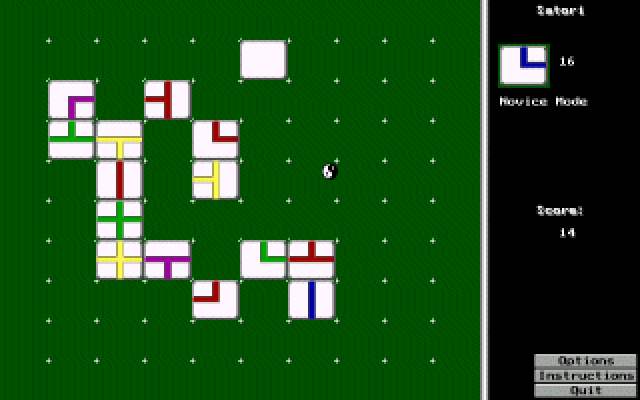
Satori is a quiet solitaire tile puzzle. Draw one tile at a time and place it on a 10-by-10 board to join path segments. Connections work up, down, left and right; touching corners does not create a scoring connection. Each connection earns points, with an additional bonus when the two tiles share a color.
Novice mode allows tiles anywhere on the board. Expert mode requires each new tile to sit beside an existing one, making the five blank tiles harder to accommodate. Choose the mode before placing your first tile, because it cannot be changed mid-game.
Left-click to place a tile or use a screen button. Right-click ends the current game, so it is not an undo command. Tiles cannot be moved after placement or stacked on occupied spaces. Keep several paths open instead of trapping the next tile behind a closed group.
Start here
Quick tips
Choose Novice or Expert before laying the first tile.
Right-click ends the game; placed tiles cannot be moved.
- Left mouse button
- Place a tile or activate a screen button
- Right mouse button
- End the current game
Screens
Screenshots
Keep playing
Similar Games

Help improve this entry
Something not working?
Report a gameplay or information problem. Short reports are enough.
Archive notes
Rights and Source Notes
Browser play uses the archived Freeware release.
- Distribution
- Freeware
- Browser player
- js-dos · Browser play
- Added to archive
- 2026-07-27