VGA Concentration
Saves are stored in this browser.
Player notes
About this game
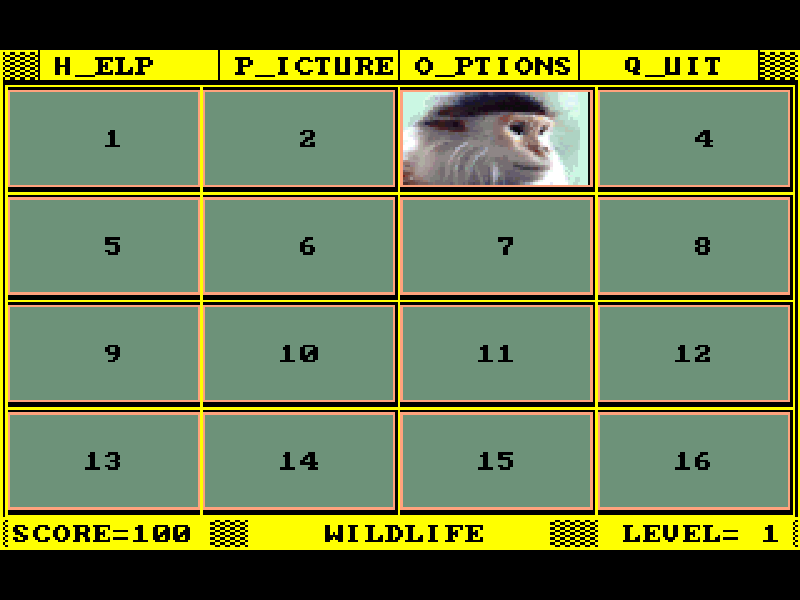
VGA Concentration turns a collection of colorful pictures into a memory game. Reveal two cards, remember where each image appeared, and find its partner. Bill Dedes designed this Alive Software game for both children learning to recognize patterns and adults who want a larger board. The novice setting has 16 cards; expert mode increases the field to 36.
The score begins at 100. You can select each card twice without losing points, but revisiting it again costs a point. Try to remember both the picture and its position instead of choosing at random. The Speed option controls how long a card stays visible, so a slower setting gives you more time to study it.
This is the original version 1.2 DOS shareware package, with its supplied picture libraries and documentation. Keyboard control is already selected: use the arrows to move and Enter or Space to choose. Press P to select a picture set, O for options or H for help. The extra pictures advertised for registered users are not included.
Start here
Quick tips
Start with the 16-card novice board and a slower reveal speed.
Press P to choose a picture set; confirm the preview to begin matching.
Every selection after a card’s second appearance costs a point.
- Arrow keys
- Move between pictures, menu choices and hidden cards.
- Enter / Space
- Confirm a choice or reveal the selected card.
- P
- Open picture selection.
- O
- Open level, reveal speed and sound options.
- H
- Open the original help.
- Esc / Q
- Leave a menu or open the quit option.
Keep playing
Similar Games
Ratings & comments
Help improve this entry
Something not working?
Report a gameplay or information problem. Short reports are enough.
Archive notes
Rights and Source Notes
Browser play is available for this entry.
- Distribution
- Shareware
- Browser player
- js-dos · Browser play
- Added to archive
- 2026-11-05
No comments yet. Be the first to share a tip.