3D Bomber
Saves are stored in this browser.
Player notes
About this game
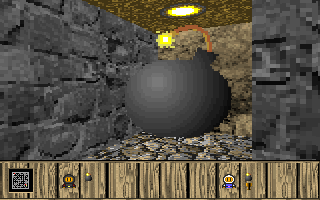
3D Bomber turns a bomb-laying duel into a first-person contest. When one player dies, the opponent gains a point; if both die together, neither scores. Five points win the match. Choose the single-player option to face the computer and learn how to move around a planted bomb.
Steven Don's 1998 instructions give separate controls for movement, strafing and dropping explosives. Use the arrows to move, hold Alt with Left or Right to strafe, and press Ctrl to place a bomb. Plan an escape route before placing one, since surviving the exchange is what earns the point.
D cycles the graphics detail, C toggles ceilings and floors, and S toggles shading. Escape quits. The original manual also covers serial and modem matches between PCs; those instructions do not establish an online multiplayer mode in this browser edition.
Start here
Quick tips
Leave yourself an escape route before dropping a bomb.
A simultaneous defeat awards neither player a point; the first to five points wins.
- Arrow keys
- Move
- Alt + Left / Right
- Strafe
- Ctrl
- Drop a bomb
- D
- Cycle graphics detail
- C
- Toggle ceilings and floors
- S
- Toggle shading
- Esc
- Quit
Screens
Screenshots
Keep playing
Similar Games
Help improve this entry
Something not working?
Report a gameplay or information problem. Short reports are enough.
Archive notes
Rights and Source Notes
Browser play uses the archived Freeware release. Official project references are listed below.
- Distribution
- Freeware
- Browser player
- js-dos · Browser play
- Added to archive
- 2026-07-28
- Official references