CHAMP Kong
Saves are stored in this browser.
Player notes
About this game
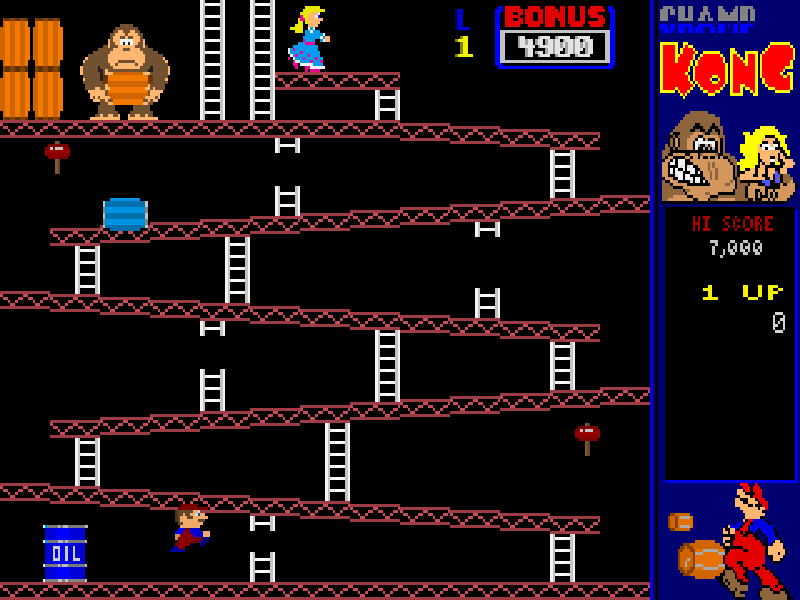
CHAMP Kong brings a construction-site rescue to DOS: climb the ladders, avoid the rolling barrels and reach the girl before the bonus timer runs down. The rivet stage changes the task: walk or jump over the rivets to remove them, then watch your footing around the gaps you have opened. Its small playfield rewards deliberate movement rather than a rush straight to the top.
The original Keyboard 1 layout uses Left and Right to walk, Up and Down to climb, and Ctrl to jump. A hammer can clear obstacles, but the original help warns that you cannot jump while carrying it. Enter starts the highlighted one-player game. F5 opens the controller menu, including Define Keys, so a changed in-game layout can be checked without guessing.
This is CHAMProgramming’s version 1.1 shareware dated 10 May 1996, not an official release of the arcade game that inspired it. The shareware restricts starting-level choices; the registered edition’s extra content is not included here. All original program, data, help and ordering files remain together, with the original distribution notice and author credits.
Start here
Quick tips
Use Ctrl to jump; Space is not the default jump key.
You cannot jump while using the hammer.
After removing a rivet, avoid the gap it leaves.
- Left / Right
- Walk left or right.
- Up / Down
- Climb ladders up or down.
- Ctrl
- Jump, unless carrying the hammer.
- Enter
- Confirm the highlighted menu choice; start a one-player game from the title menu.
- Esc
- Open the options menu or return to the previous screen.
- F1
- Open context-sensitive help.
- F5
- Open controller settings and Define Keys.
- F12
- Pause; press Space to resume.
Keep playing
Similar Games
Ratings & comments
Help improve this entry
Something not working?
Report a gameplay or information problem. Short reports are enough.
Archive notes
Rights and Source Notes
Browser play is available for this entry.
- Distribution
- Shareware
- Browser player
- js-dos · Browser play
- Added to archive
- 2026-11-06
No comments yet. Be the first to share a tip.