Duke Nukem 3D
Saves are stored in this browser.
Player notes
About this game
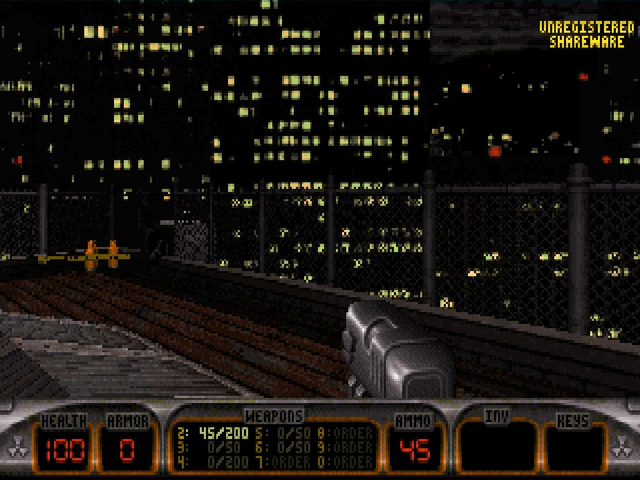
Duke Nukem 3D is 3D Realms’ 1996 first-person shooter. Duke returns to an alien-occupied Los Angeles, exploring rooftops, streets and indoor spaces while collecting supplies and finding a way forward. Movement, switches and routes through the scenery matter alongside shooting.
This browser edition runs the original DOS shareware version 1.3D with L.A. Meltdown, the first episode. Choose New Game, select L.A. Meltdown and pick a difficulty. The commercial episodes and the later Atomic Edition expansion are not included. The original menus and help may advertise items that belong to the registered game.
Use the arrow keys to move forward and backward or turn, Ctrl to fire, A to jump and Z to crouch. Space opens nearby doors and operates switches; hold Alt with Left or Right to strafe. These are the classic keyboard bindings, not a modern WASD layout. F1 opens the original help, and Enter advances to its control chart.
Start on a lower difficulty while learning the rooftop route. Watch the ammunition and health counters, check nearby doors and switches, and use Tab when you need the map. F2 and F3 open the original save and load menus. After saving inside the game, use the player’s Save button to keep changed files in this browser. Play here is single-player; the included network utilities do not provide online multiplayer.
Start here
Quick tips
Choose L.A. Meltdown; the later episodes need the registered game.
A jumps, Z crouches and Space operates nearby doors or switches. Ctrl fires.
F1 then Enter shows the original controls. Use Tab for the map and F2/F3 for the game’s save/load menus.
- Arrow keys
- Move forward/backward and turn
- Ctrl
- Fire
- A
- Jump
- Space
- Open doors and use switches
- Z
- Crouch
- Alt + Left / Right
- Strafe sideways
- Shift
- Hold to run
- Tab
- Toggle map
- Enter
- Confirm menus; use selected inventory item during play
- Esc
- Open the menu or go back
- F1
- Open original help; Enter shows the control chart
- F2 / F3
- Open in-game save / load menus
Keep playing
Similar Games
Help improve this entry
Something not working?
Report a gameplay or information problem. Short reports are enough.
Archive notes
Rights and Source Notes
Browser play is available for this entry.
- Distribution
- Shareware
- Browser player
- js-dos · Browser play
- Added to archive
- 2026-10-14