Wolfenstein 3D
Saves are stored in this browser.
Player notes
About this game
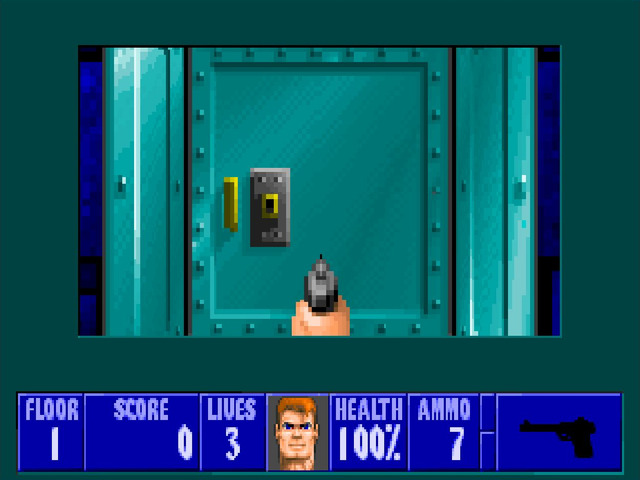
Wolfenstein 3D is id Software’s 1992 first-person shooter, published by Apogee. You play B.J. Blazkowicz, escaping a prison fortress one floor at a time. Corridors connect guard rooms, supplies and locked doors; staying alive means watching your ammunition as well as finding the route onward.
This original DOS shareware package contains episode one, Escape from Wolfenstein. Choose New Game, select the first episode and pick a difficulty. The other episode names remain visible in the original menu, but their registered game data is not included.
The keyboard layout predates modern mouse-look shooters: Up and Down move forward and backward, while Left and Right turn. Hold Alt with a side arrow to strafe, Ctrl to fire and Shift to run. Space opens a nearby door or activates the exit elevator. The in-game F1 help explains the controls and story; F2 and F3 open its save and load menus.
Begin on a lower difficulty while learning the corridors. Check the health and ammunition counters before opening another door, and keep track of locked routes as you explore. Browser play here is single-player and preserves the original episode files and Apogee documentation.
Start here
Quick tips
Choose Escape from Wolfenstein; the later episodes shown in the menu need the registered game.
Move close to a door before pressing Space. The same key activates an exit elevator.
Hold Alt with Left or Right to move sideways without turning. Use a lower difficulty while learning the layout.
- Arrow keys
- Move forward/backward and turn
- Ctrl
- Fire
- Space
- Open doors and activate elevators
- Alt + Left / Right
- Strafe sideways
- Shift
- Hold to run
- Enter
- Confirm menu selection
- Esc
- Open the menu or go back
- F1
- Read original help
- F2 / F3
- Open in-game save / load menus
Keep playing
Similar Games

Help improve this entry
Something not working?
Report a gameplay or information problem. Short reports are enough.
Archive notes
Rights and Source Notes
Browser play is available for this entry.
- Distribution
- Shareware
- Browser player
- js-dos · Browser play
- Added to archive
- 2026-10-14