Gladiator
Saves are stored in this browser.
Player notes
About this game
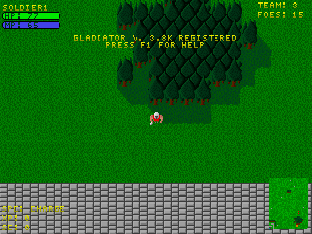
Gladiator opens in a camp where you spend gold on recruits and training. Click Begin New Game, choose Hire Troops, and hire at least one soldier. Return to camp and select Go to start the first scenario. You control one fighter at a time while the rest of your company follows and fights.
Player 1 uses the numeric keypad to move, Insert to attack, Enter for a special and keypad + to switch fighters. The menus use a mouse. On a touch screen, drag the picture to move the DOS cursor and use the on-screen left mouse button to navigate the camp. Use the touch directional pad and action buttons in combat.
The archived DOS engine supports up to four people on one keyboard. Its sets for players 2 through 4 are printed in the original README available with the source. Use Save Team in camp to write a native team file, then Save game files in the site player before you close the page.
Start here
Quick tips
Hire a soldier before you press Go.
Recruit a second fighter to try switching your active character with keypad +.
Save at camp before closing the browser.
- Numeric keypad directions
- Move player 1 in eight directions
- Insert
- Attack with player 1
- Enter
- Use player 1’s special ability
- Numpad +
- Switch player 1 to another fighter
- Numpad -
- Cycle player 1’s special ability
- F1
- Open the in-game DOS help
- Esc
- Return to camp from a mission
- Left mouse button
- Select camp menus and recruit troops
Keep playing
Similar Games
Ratings & comments
Help improve this entry
Something not working?
Report a gameplay or information problem. Short reports are enough.
Archive notes
Rights and Source Notes
Browser play is available for this entry. Official project references are listed below.
- Distribution
- GPL-2.0
- Browser player
- js-dos · Browser play
- Added to archive
- 2026-11-18
- Official references
- Source code
- Download open-source code packageSource code only; this is not a game ROM download.
No comments yet. Be the first to share a tip.