Mather
Saves are stored in this browser.
Player notes
About this game
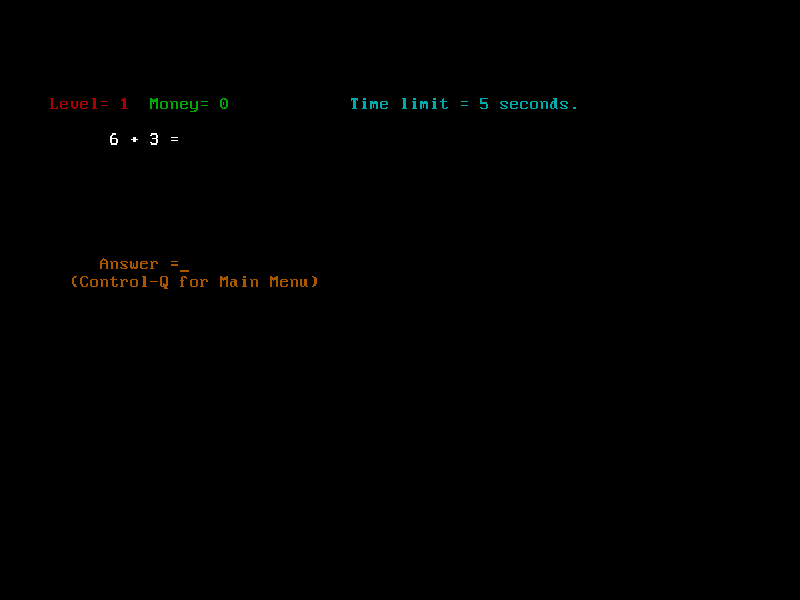
Mather turns arithmetic practice into a small reward game. Pick addition, subtraction, multiplication, division or a mixed set, then type the answer before the time limit expires. Successful answers earn imaginary money, which can be spent on the game’s prize descriptions. These are playful in-game rewards, not real purchases.
The numbered Main Menu separates playing, difficulty and reward settings, saved progress, instructions and status. Choose 1 for Play, then select the arithmetic category. The screen shows the current level, money and allowed time. A correct answer after the deadline is still recognised, but does not earn the timed reward.
This is Steve Moraff’s original version 1.0 shareware package. Its text presentation is deliberately simple and the questions and menus remain in English. The browser package disables the emulated floating-point coprocessor because the default setting produced invalid calculations; the original game files are unchanged. Use the game’s Load/Save menu for its own progress files, and the site’s save controls to retain those local files.
Start here
Quick tips
Press Enter through the opening information. At the Main Menu choose 1, then 1 again to practise addition.
Type the numerical answer and press Enter. After feedback, press a key for the next question.
Ctrl+Q returns to the Main Menu. Read Instructions before changing reward levels; a correct but late answer does not earn the timed prize.
- 0–9
- Type a numerical answer or choose a numbered menu option.
- Enter
- Confirm an answer and continue past opening screens.
- Backspace
- Correct a typed answer.
- Ctrl+Q
- Return to the Main Menu from a question.
Keep playing
Similar Games
Ratings & comments
Help improve this entry
Something not working?
Report a gameplay or information problem. Short reports are enough.
Archive notes
Rights and Source Notes
Browser play is available for this entry.
- Distribution
- Shareware
- Browser player
- js-dos · Browser play
- Added to archive
- 2026-11-04
No comments yet. Be the first to share a tip.