Moraff's Morejongg
Saves are stored in this browser.
Player notes
About this game
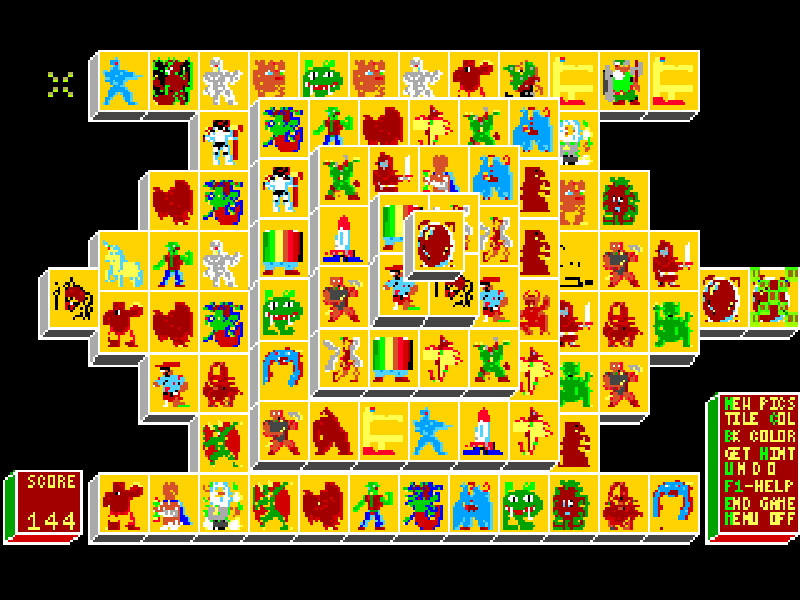
Moraff’s Morejongg turns mahjong tiles into solitaire layouts with colorful fantasy pictures. In Monster Shanghai, a stacked board begins with 144 tiles. Remove matching pairs until the layout is cleared, choosing tiles that are uncovered and have an open left or right edge.
The original help explains special matching groups such as flowers and seasons, as well as mouse and keyboard selection. K switches between those input modes. In keyboard mode, move the selection with the arrow keys and use Enter to choose a tile; mouse mode uses the left button.
This page runs MoraffWare’s 3.0 shareware package, whose README was updated on 8 May 1993. The game first appeared in 1992. Its original help, registration information and included menu modes remain intact; registered additions advertised by the program are not supplied.
Start here
Quick tips
Choose 4 at the video menu, continue past the title, then choose B for Monster Shanghai. Continue the notice and wait for the board to finish drawing.
A visible tile may still be blocked. Check that nothing covers it and that at least one side is free.
Press K if you want keyboard selection. Enter selects a tile; F1 opens the original help.
- 4
- Select standard color VGA at the video menu.
- B
- Choose Monster Shanghai at the main menu.
- A
- Open instructions from the main menu.
- Enter
- Continue notices or select a tile in keyboard mode.
- K
- Switch between mouse and keyboard selection.
- Arrow keys
- Move the tile cursor in keyboard mode.
- F1
- Open the in-game help.
- Left mouse button
- Select a tile in mouse mode.
Keep playing
Similar Games
Ratings & comments
Help improve this entry
Something not working?
Report a gameplay or information problem. Short reports are enough.
Archive notes
Rights and Source Notes
Browser play is available for this entry.
- Distribution
- Shareware
- Browser player
- js-dos · Browser play
- Added to archive
- 2026-11-03
No comments yet. Be the first to share a tip.