Moraff's Super Entrap
Saves are stored in this browser.
Player notes
About this game
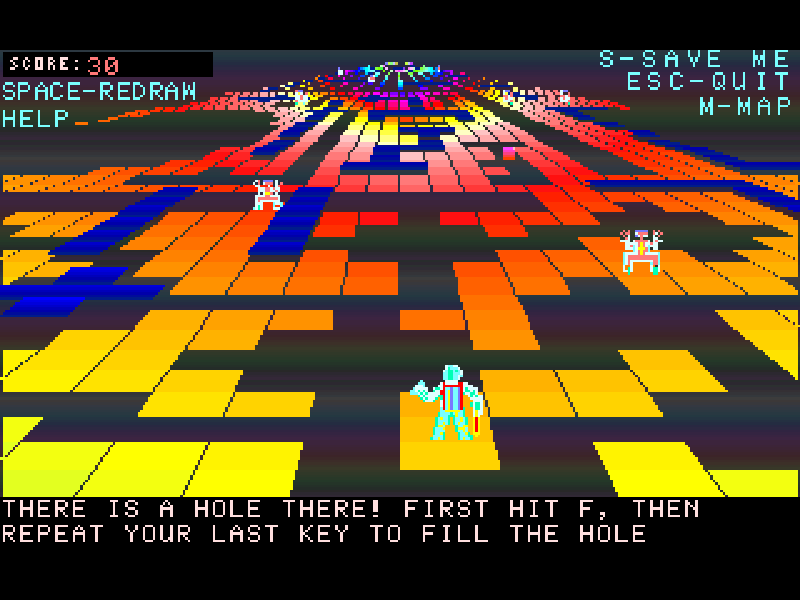
Moraff’s Super Entrap places you in a maze with pursuing monsters and holes that change how you can move. Plan a route, make or fill holes, and use the overhead map to understand passages that are hard to judge from the angled view.
The original keyboard layout supports eight directions with QWE, AD and ZXC. Shift with a direction makes a hole; F followed by a direction fills one. J jumps forward six spaces, while M switches between the normal view and the map. The same movement controls work on the map.
This is the beginner version 4.1, updated on 25 September 1992. The advanced registered edition with ten difficulty levels is not included. Original help and registration notices remain available; this page runs Super Entrap rather than the earlier Moraff’s Entrap.
Start here
Quick tips
Choose 4 at the display menu and continue into the maze. F1 opens the original help and M shows the map.
Use W, A, X and D for the main directions. S is the game’s save command, not the downward movement key.
If a hole blocks the route, press F and then the same direction to fill it. Shift plus a direction creates a hole; avoid trapping yourself.
- 4
- Select standard color VGA at startup.
- Enter
- Continue the opening screen or a help page.
- W
- Move up on the map.
- X
- Move down on the map.
- A
- Move left on the map.
- D
- Move right on the map.
- Q / E / Z / C
- Move diagonally.
- Shift + direction
- Make a hole in the chosen direction.
- F, then direction
- Fill a hole in the chosen direction.
- J
- Jump forward six spaces.
- M
- Switch between the normal view and overhead map.
- Space
- Redraw the current view.
- F1
- Open the original help.
- S
- Use the original in-game save command.
- Esc
- Open the quit/menu prompt.
Keep playing
Similar Games
Ratings & comments
Help improve this entry
Something not working?
Report a gameplay or information problem. Short reports are enough.
Archive notes
Rights and Source Notes
Browser play is available for this entry.
- Distribution
- Shareware
- Browser player
- js-dos · Browser play
- Added to archive
- 2026-11-03
No comments yet. Be the first to share a tip.