Mystic Towers
Saves are stored in this browser.
Player notes
About this game
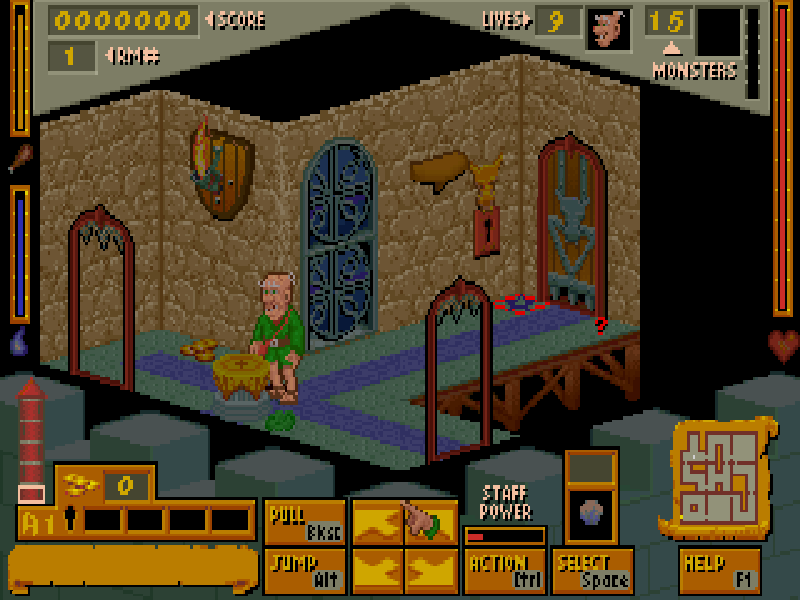
Mystic Towers puts Baron Baldric inside a tower of connected, isometric rooms. Monsters are only part of the problem: locked doors, movable objects and switches also stand between you and the exit. Baldric needs food and drink as well as life energy, so collecting supplies matters alongside fighting.
Use the arrow keys to walk and Alt to jump. Ctrl is the context-sensitive action key: face an object to collect or use it, or fire the selected spell when there is nothing to interact with. Space cycles spells; 1–6 select them directly. Walk into movable objects to push them, or use Backspace to pull. The original F1 help explains the screen-relative directions and the mouse alternative.
After the hardware check, press a key to reach the main menu. Choose Play or resume Game, then Start a Quest Cycle. This shareware quest contains one Apprentice tower and one Wizard tower. Clear the monsters and destroy the generator with a Generator Bomb; the red key then opens the exit in the room where you began. Keep track of doors and supplies as you work through the five floors.
This page runs the original DOS 1.11 shareware release by Animation F/X, published by Apogee in 1994. It includes the first episode's Apprentice and Wizard variants, not the registered tower set. Original files, ordering material and the distribution notice are retained. Menus and in-game help remain in English.
Start here
Quick tips
Face an item before pressing Ctrl. The same key handles interaction and spell attacks, depending on what is in front of Baldric.
Short and long Alt presses produce different jump lengths; practise beside a safe platform before crossing a gap.
Watch the food, drink and life meters. The original help recommends a mushroom, green slime or a Heal spell when poisoned.
The exit key appears only after the generator and all monsters are dealt with. Return to the starting room to leave the tower.
- Arrow keys
- Walk in the tower
- Alt
- Jump; hold longer for a larger jump
- Ctrl
- Use an object or fire the selected spell
- Space
- Cycle the selected spell
- 1 / 2 / 3 / 4 / 5 / 6
- Select a spell directly
- Backspace
- Pull a movable object
- Enter
- Confirm a menu choice
- Esc
- Return to the main menu
- F1
- Open the original help
Keep playing
Similar Games
Ratings & comments
Help improve this entry
Something not working?
Report a gameplay or information problem. Short reports are enough.
Archive notes
Rights and Source Notes
Browser play is available for this entry.
- Distribution
- Shareware
- Browser player
- js-dos · Browser play
- Added to archive
- 2026-10-27
No comments yet. Be the first to share a tip.