Hocus Pocus
Saves are stored in this browser.
Player notes
About this game
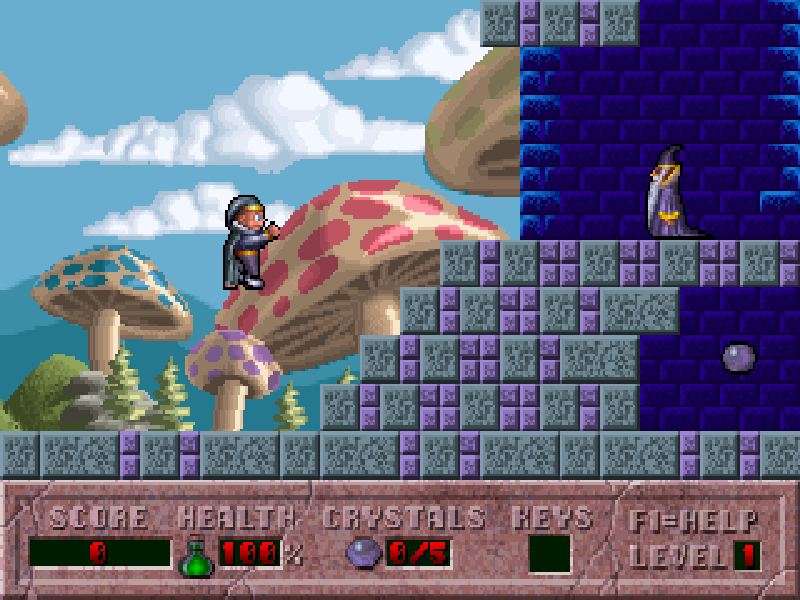
Hocus Pocus is a 1994 fantasy platform game developed by Moonlite Software and published by Apogee Software. Its young wizard explores stages built around magical crystals, keys and switches. Gathering every crystal completes a level; ordinary treasure adds points and rewards a more thorough search.
Ctrl jumps and Alt casts a shot. Hold Up with Alt to shoot upward, and press Up near a switch or wizard to interact. Elevators respond to Up and Down. Some blocks can be destroyed, while potions temporarily change your abilities, so inspect suspicious walls and remember which routes were previously out of reach.
Choose Begin a new game, Time Tripping and a difficulty. The original menus use arrows and Enter; an initial DOS message may also ask you to press a key. F1 displays the illustrated controls, F2 opens save slots and F3 restores a game. Esc opens the playing menu.
This page runs DOS shareware version 1.1, containing the first episode, Time Tripping. Shattered Worlds, Warped and Weary, and Destination Home are registered content and are not included.
Start here
Quick tips
The crystal counter is the completion requirement; treasure and crystals serve different purposes.
Press Up next to a switch or wizard, and use Up/Down when standing on an elevator.
Try firing at suspicious blocks and use Up plus Alt for targets above you.
- Left / Right
- Move left or right
- Ctrl
- Jump
- Alt
- Cast a shot
- Up
- Use a switch, talk to a wizard or ride an elevator upward
- Down
- Ride an elevator downward
- Up + Alt
- Shoot upward
- B
- Begin a new game from the main menu
- Enter
- Confirm menu selections or continue startup screens
- F1
- Show illustrated help
- F2 / F3
- Open save / restore menus
- Esc
- Open the playing menu or go back
Keep playing
Similar Games
Help improve this entry
Something not working?
Report a gameplay or information problem. Short reports are enough.
Archive notes
Rights and Source Notes
Browser play is available for this entry.
- Distribution
- Shareware
- Browser player
- js-dos · Browser play
- Added to archive
- 2026-10-16