PC-Jigsaw
Saves are stored in this browser.
Player notes
About this game
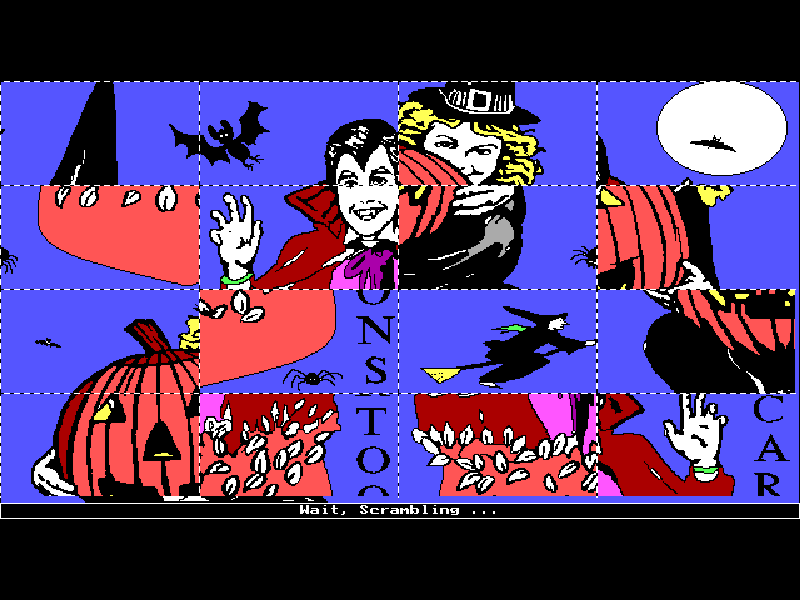
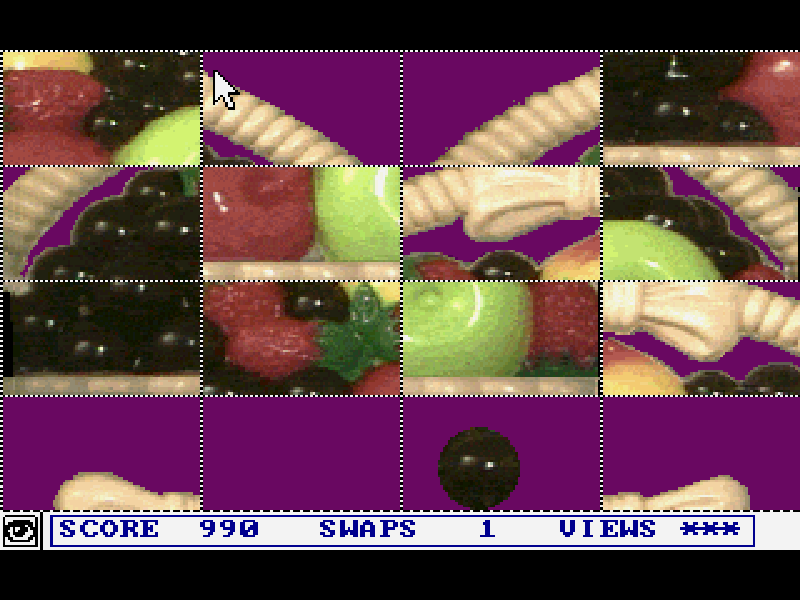
PC-Jigsaw cuts a picture into rectangular pieces and shuffles them. Choose two pieces to exchange their positions, using the picture’s outlines and colors to rebuild the image. Different levels change the number of pieces, from a small beginner layout to a denser puzzle.
This page starts the documented keyboard mode. Use the arrow keys to move and Space to select a piece; Enter or Space chooses menu entries. V displays the original picture, while Esc returns to the menu. The original scoring rewards fewer misplaced swaps and fewer repeated previews.
The game dates from 1989; this is Alive Software’s 3.1 shareware package from February 1994. Seven GRF picture files are included. Extra registered pictures advertised in the program are not included, and all original credits, documentation and distribution files are preserved.
Start here
Quick tips
Use Enter to continue the original opening and ordering notices. From Puzzles choose a picture, then choose Start. Wait for scrambling to finish before selecting pieces.
Move to a piece with the arrows, press Space, move to a second piece and press Space again to exchange them.
V shows the complete image. The first three views are free under the normal scoring rules; later views cost points.
- Arrow keys
- Move the piece cursor or menu selection in keyboard mode.
- Space
- Select a piece; select a second piece to swap, or confirm a menu entry.
- Enter
- Continue opening notices or confirm a menu selection.
- V
- View the original completed picture.
- Esc
- Open or leave the game menu.
Keep playing
Similar Games
Ratings & comments
Help improve this entry
Something not working?
Report a gameplay or information problem. Short reports are enough.
Archive notes
Rights and Source Notes
Browser play is available for this entry.
- Distribution
- Shareware
- Browser player
- js-dos · Browser play
- Added to archive
- 2026-11-03
No comments yet. Be the first to share a tip.