Peach's Dream
Saves are stored in this browser.
Player notes
About this game
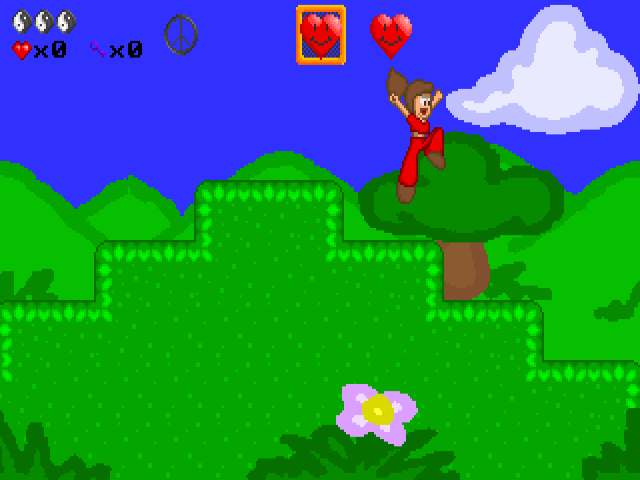
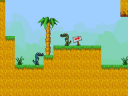
Peach's Dream follows an adventurer through DreamLand in search of four keys needed to enter the final castle. Each level contains two stages, and completing stages opens more of the route. Some obstacles require an item from elsewhere, so revisiting an earlier stage can be part of progressing.
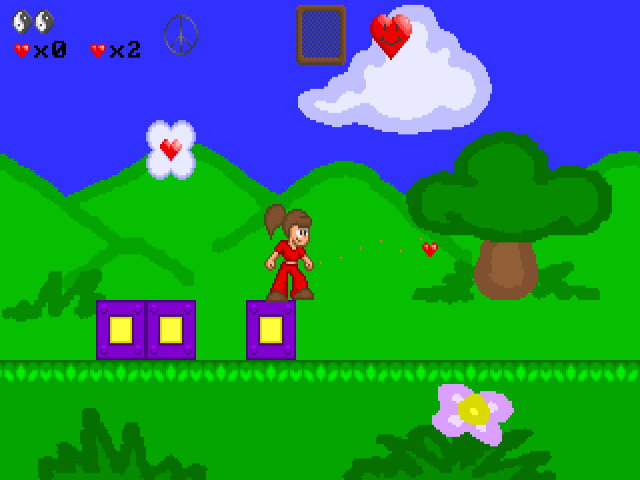
Left and Right walk, Up jumps and Down ducks. Ctrl uses the currently selected item, while Shift changes the selection. The item box shows what Ctrl will activate. Watch the separate heart supply: most selectable items consume it, whereas the ordinary Heart shot is free to use.
A cloud helps cross wide gaps, wings allow flight and the ankh raises your jump. Their different uses make item choice more important than simply keeping an attack selected. The original game offers saving after a completed level, but only has one save slot; another in-game save replaces the previous one.
Start here
Quick tips
Check the item box before pressing Ctrl; Shift changes the selected item.
Return to earlier stages for missing items or keys, and remember the game's save slot is shared.
- Left / Right
- Walk
- Up
- Jump
- Down
- Duck
- Ctrl
- Use the selected item
- Shift
- Switch the selected item
Screens
Screenshots
Keep playing
Similar Games
Help improve this entry
Something not working?
Report a gameplay or information problem. Short reports are enough.
Archive notes
Rights and Source Notes
Browser play uses the archived Freeware release.
- Distribution
- Freeware
- Browser player
- js-dos · Browser play
- Added to archive
- 2026-07-27