Rescue!
Saves are stored in this browser.
Player notes
About this game
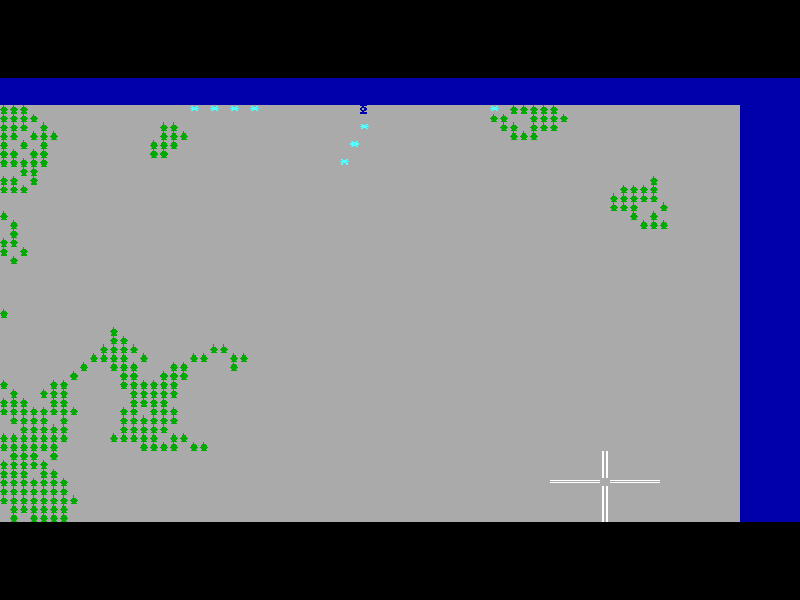
Rescue! puts a small hovercraft among defended islands, where missile launchers keep firing until you destroy them. Movement and aiming are separate: E, S, D and F steer the craft, while the numeric keypad fires in eight directions. Sweeping your fire across an approaching missile can be more useful than charging straight toward its launcher.
Terrain matters as much as aim. Hills destroy a craft on contact, swamps slow it to a quarter of its speed, and trees or dark mist take two hits to clear. Launchers and walls take 14 hits. The first island is a training area with one launcher, making it a good place to learn the controls. The number row changes game speed from 1, the slowest setting, to 5, the fastest.
This is Richard Carr’s version 1.2 shareware release from Carr Software. At startup choose A for the first episode, answer N to the joystick question, then B to begin and a number from 1 to 5 for speed. The Read me first menu explains the original controls. The game describes optional cooperative gunner roles on the same computer; this browser check covers single-player keyboard play only. Extra registered episodes are not included.
Start here
Quick tips
Begin at speed 1 while learning the separate movement and firing keys.
Use the numeric keypad for aiming, not the number row: the latter changes speed.
Avoid hills. Clear trees or dark mist with two shots rather than driving into an unseen obstacle.
- E
- Move up.
- S
- Move left.
- D
- Move down.
- F
- Move right.
- Numpad 8 / Numpad 4 / Numpad 6 / Numpad 2
- Fire up, left, right or down.
- Numpad 7 / Numpad 9 / Numpad 1 / Numpad 3
- Fire diagonally up-left, up-right, down-left or down-right.
- 1 / 2 / 3 / 4 / 5
- Set speed from slowest to fastest using the number row.
- A
- Choose the first episode at startup.
- N
- Choose keyboard rather than joystick at startup.
- B
- Begin a new game from the main menu.
- H
- Open help during play.
- P
- Toggle pause.
- L
- Show launcher, missile and time status.
- Esc
- Leave the current game and return to the main menu.
Keep playing
Similar Games
Ratings & comments
Help improve this entry
Something not working?
Report a gameplay or information problem. Short reports are enough.
Archive notes
Rights and Source Notes
Browser play is available for this entry.
- Distribution
- Shareware
- Browser player
- js-dos · Browser play
- Added to archive
- 2026-11-19
No comments yet. Be the first to share a tip.