Robomaze III
Saves are stored in this browser.
Player notes
About this game
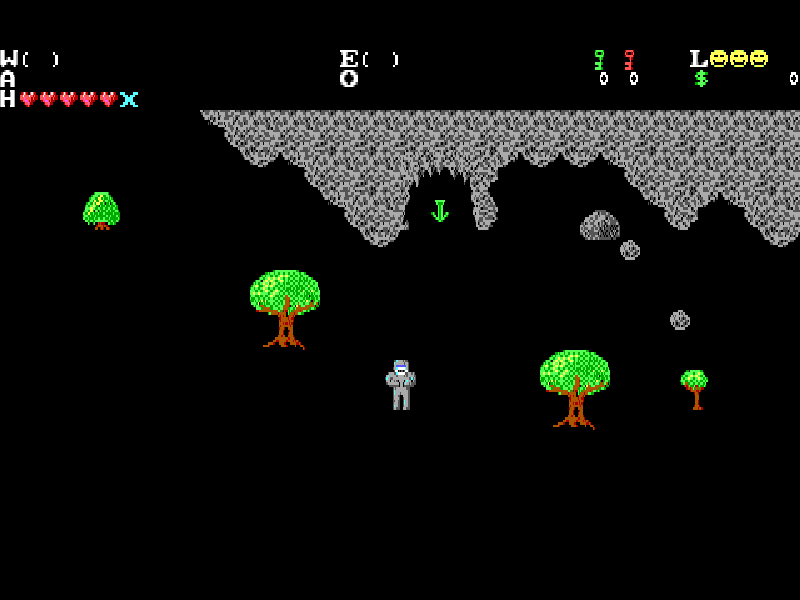
Robomaze III changes the series to an overhead adventure. Move through the Dome, search its passages and use the equipment you find to deal with the Dictator’s forces. You begin without a gun, so pressing Fire at the start does not mean there is a weapon ready to shoot.
The original controls separate movement, weapons and equipment. Space fires the selected weapon once you have one, Enter changes weapons and Tab changes equipment. F1 brings up the help screen, while F2 shows status and location information.
This is The Dome, Volume 1 of the 1991 Wetware game published by MVP Software. Its original distribution notice allows this shareware volume to be copied; The Final Journey and The Original are not included. The browser starts through ROBO3, the package’s own launcher.
Start here
Quick tips
Press Enter through the shareware and title screens, allowing each loading screen to finish, then choose Start Game.
Look for equipment before expecting Space to fire: the character starts unarmed.
Use F1 for the original control reference and F2 to check your status and location.
- Arrow keys
- Move around the overhead world.
- Space
- Fire the selected weapon, once acquired.
- Enter
- Select a weapon during play; confirm menus and opening prompts.
- Tab
- Select equipment.
- F1
- Show the original help.
- F2
- Show status and location.
- F3
- Load a game.
- F4
- Save a game.
- S
- Toggle the original game sound.
- Q
- Return to the game menu.
- Esc
- Quit the program.
Keep playing
Similar Games
Ratings & comments
Help improve this entry
Something not working?
Report a gameplay or information problem. Short reports are enough.
Archive notes
Rights and Source Notes
Browser play is available for this entry.
- Distribution
- Shareware
- Browser player
- js-dos · Browser play
- Added to archive
- 2026-11-03
No comments yet. Be the first to share a tip.