Robomaze II
Saves are stored in this browser.
Player notes
About this game
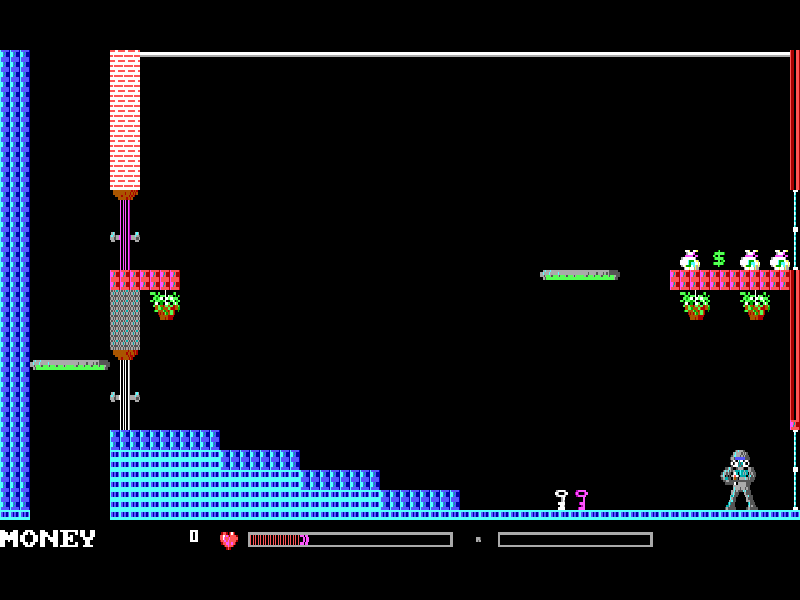
Robomaze II sends you through a connected tower of rooms occupied by hostile robots. Run and jump between platforms, collect useful items and fire at enemies while looking for the way onward. Movement continues after a direction key, so Down is also your stop command.
The Lobby is Volume 1 of Wetware’s three-part Robomaze II release, published by MVP Software in 1991. Its manual describes 40 rooms, with saved progress resuming from specified continuation rooms. Weapon and status information can be checked from the original help and status screens.
Only the shareware Lobby volume is included here. The separately distributed second and third volumes are not part of this package. The browser uses the original RM2 launcher: answer Y to the VGA question, continue through the opening notices and choose Start Game.
Start here
Quick tips
At the VGA question press Y, then wait for loading and continue through the titles to Start Game.
Use Left or Right to run, Down to stop and Up to jump. The first room starts close to the right edge, so try moving left.
F1 opens help. Original saves resume at designated continuation rooms, not necessarily the exact spot where you saved.
- Left / Right
- Run left or right; movement continues until stopped.
- Down
- Stop running.
- Up
- Jump.
- Space
- Fire the current weapon.
- Enter
- Continue a prompt or confirm the selected menu item.
- Y
- Confirm VGA at startup.
- F1
- Open the original help.
- F2
- Show status.
- F3
- Load a saved game.
- F4
- Save progress at the game’s continuation points.
- Q
- End the current game.
- Esc
- Quit the program.
Keep playing
Similar Games
Ratings & comments
Help improve this entry
Something not working?
Report a gameplay or information problem. Short reports are enough.
Archive notes
Rights and Source Notes
Browser play is available for this entry.
- Distribution
- Shareware
- Browser player
- js-dos · Browser play
- Added to archive
- 2026-11-03
No comments yet. Be the first to share a tip.