Spider Run
Saves are stored in this browser.
Player notes
About this game
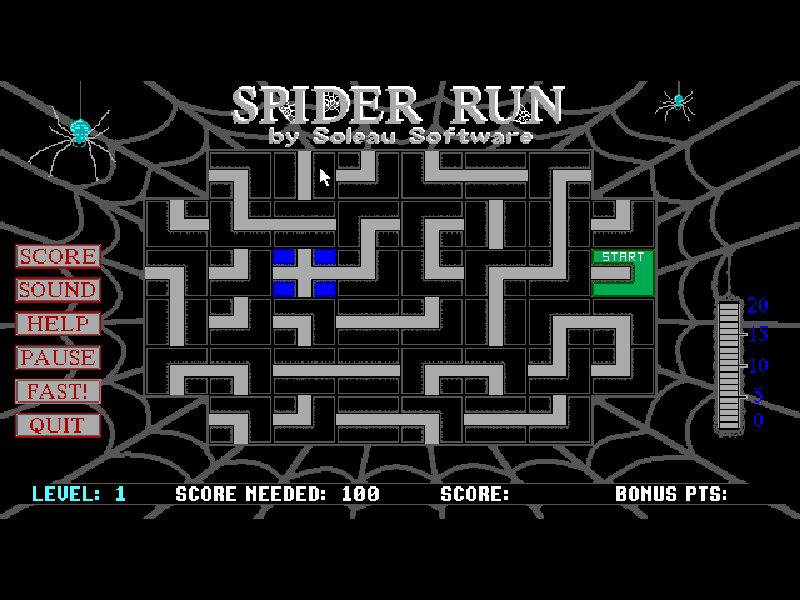
Spider Run asks you to build a route while its spider is already on the way. Click a strand to turn it clockwise, connecting the green starting square to the next stretch of web. The opening countdown gives you a short planning window.
The spider can leave one edge and return from the opposite side. After it travels far enough, crossing an open edge resets used strands, although permanent blocked squares gradually reduce your options. Some later boards require a route to a red ending square.
This preserved 2.1 shareware edition includes seven levels. Its manual describes thirty levels in the registered edition; those are not part of this package. Mouse input is required. Original instructions, registration notices and between-round waits remain intact.
Start here
Quick tips
Click through the original directions and the level-start prompt before planning your route.
Rotate the next few strands before the spider reaches them. Used strands cannot simply be recycled immediately.
FAST doubles travel points but leaves less reaction time. Use it only after connecting a safe route.
- Enter
- Confirm high-score initials.
- Mouse: left click
- Turn a strand clockwise; select buttons and continue prompts.
- Mouse: FAST
- Speed up the spider for double travel points.
- Mouse: HELP
- Read the original directions.
- Mouse: SOUND
- Toggle game sound.
- Mouse: QUIT
- Leave the game; follow its confirmation prompt.
Keep playing
Similar Games
Ratings & comments
Help improve this entry
Something not working?
Report a gameplay or information problem. Short reports are enough.
Archive notes
Rights and Source Notes
Browser play is available for this entry.
- Distribution
- Shareware
- Browser player
- js-dos · Browser play
- Added to archive
- 2026-11-19
No comments yet. Be the first to share a tip.