Super ZZT
Saves are stored in this browser.
Player notes
About this game
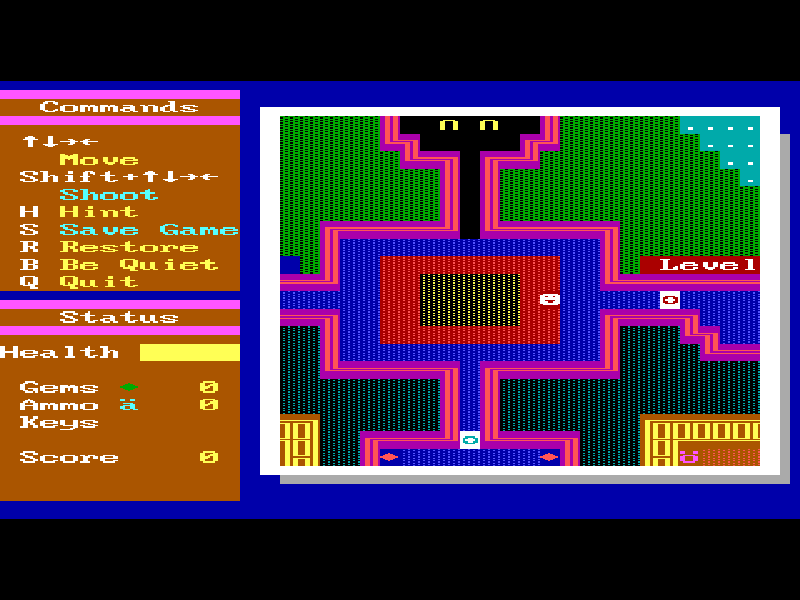
Super ZZT expands the original ZZT's character-based adventure into larger scrolling rooms. The screen is drawn with colorful text symbols, but the rooms contain moving enemies, objects, passages and puzzles. Tim Sweeney and Allen Pilgrim are credited in the original Monster Zoo title screen, published by Epic MegaGames.
At startup choose K for keyboard and C for color. At the title screen press P to play, then Enter to leave the opening introduction and enter Monster Zoo. Use the arrow keys to move and hold Shift with a direction to shoot when you have ammunition. The opening area begins paused until you move. Follow the passages and inspect each room before using up the supplies you find.
H provides a hint for the current room. The opening hub, for example, asks you to collect six bananas. S opens the original save prompt, R restores a saved game, B toggles sound, and Q quits. A save made inside the game and the website's game-file backup are separate actions; use the player's save tools to keep local game files.
This is the original 2.0 shareware package, whose normal Play Game option opens Volume 7, Monster Zoo. The complete original archive, world data, documentation and Epic distribution license are preserved. Other world files present in that package are not a promise of unlocked registered chapters. The page describes and tests Monster Zoo.
Start here
Quick tips
Choose K and C at startup, press P at the title screen, then Enter after the opening introduction.
The opening room waits for a direction key before play resumes.
Shift plus a direction needs ammunition. A no-ammo message means you need supplies, not a different fire key.
Press H for the current room's objective, and save before exploring an unfamiliar passage.
- Arrow keys
- Move through the scrolling rooms
- Shift + Arrow keys
- Shoot in a direction when ammunition is available
- K
- Select keyboard controls at startup
- C
- Select color display at startup
- Enter
- Continue or confirm a filename
- P
- Start Monster Zoo from the title screen
- H
- Show a hint for the current room
- S
- Save the game to a named file
- R
- Restore a saved game
- B
- Toggle sound
- Q
- Quit the current game
- Esc
- Cancel a prompt or close a text window
Keep playing
Similar Games
Ratings & comments
Help improve this entry
Something not working?
Report a gameplay or information problem. Short reports are enough.
Archive notes
Rights and Source Notes
Browser play is available for this entry.
- Distribution
- Shareware
- Browser player
- js-dos · Browser play
- Added to archive
- 2026-11-01
No comments yet. Be the first to share a tip.