SuperFly
Saves are stored in this browser.
Player notes
About this game
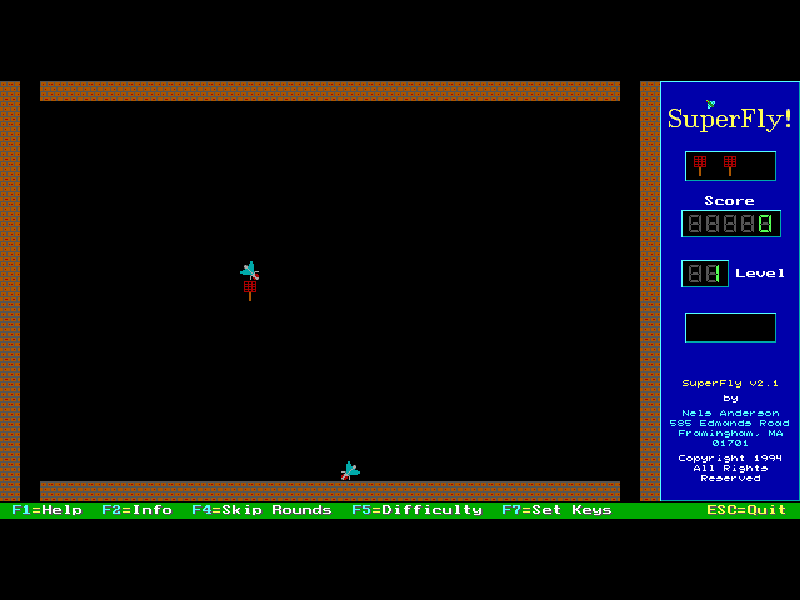
SuperFly gives you a flyswatter and a room full of unwelcome insects. Move next to a bug and press toward it to swat it. Squashed bugs stay on the floor, so each successful hit also leaves another obstacle. Keep space to manoeuvre while you wait for SuperFly to appear.
The object of a round is to swat SuperFly, rather than clear every insect. Blocking yourself in, or filling the entrances with dead bugs, can leave you with nowhere useful to move. The game starts with three swatters, and A abandons one when you need a fresh position.
This is Nels Anderson’s 2.1 shareware release from 1994, following the original 1990 game. It starts in keyboard mode here. Original instructions, registration notices and files are preserved; this is an evaluation shareware edition, not a freeware re-release.
Start here
Quick tips
Press Enter through the opening screens to reach the room.
Leave a route around the dead bugs instead of swatting everything immediately.
Space pauses the game. F1 opens the original help; A sacrifices your current swatter if you become trapped.
- Arrow keys
- Move the swatter; press toward an adjacent bug to swat it.
- Enter
- Continue the opening screens and confirm prompts.
- Space
- Pause; press a key to continue.
- A
- Abandon the current swatter.
- F1
- Open the original help.
- F3
- Toggle the original game sound.
- Esc
- Open the quit confirmation.
Keep playing
Similar Games
Ratings & comments
Help improve this entry
Something not working?
Report a gameplay or information problem. Short reports are enough.
Archive notes
Rights and Source Notes
Browser play is available for this entry.
- Distribution
- Shareware
- Browser player
- js-dos · Browser play
- Added to archive
- 2026-11-03
No comments yet. Be the first to share a tip.