Alien Rampage
Saves are stored in this browser.
Player notes
About this game
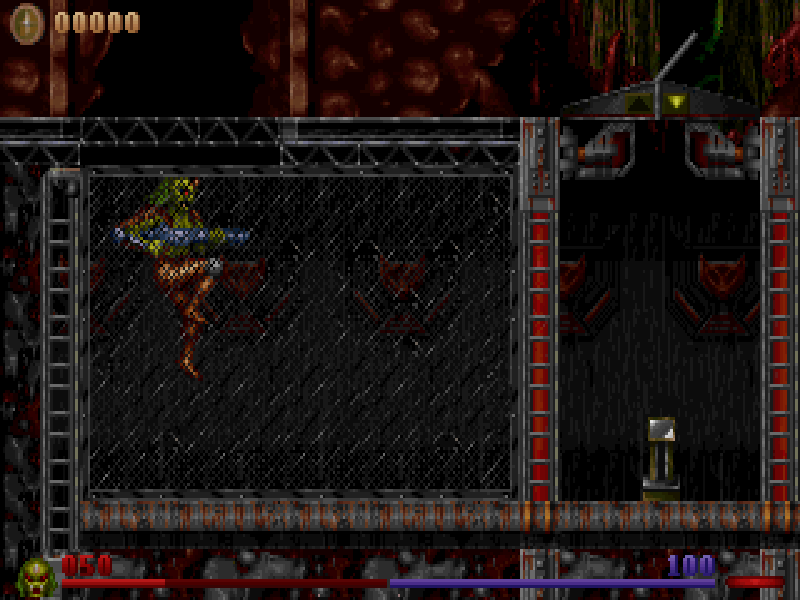
Alien Rampage is a side-scrolling action game by Inner Circle Creations. Its large alien hero moves through layered forest and industrial scenery, with platforms, drops and enemies interrupting the route. The HUD keeps health and ammunition visible as you move and fire.
The original keyboard configuration assigns Ctrl to jump and Alt to shoot. Left and Right move the character, Tab cycles weapons, and Backspace pauses. Enter confirms the episode and difficulty selections. Wait for the opening drop into the level to finish before testing a jump from the ground.
This page runs the 1.00 shareware release published by Softdisk in 1996. The original DOS installer supplies the game files; the original keyboard settings and Sound Blaster setup are retained. The complete source archive and distribution license are included unchanged. This is the shareware selection, not a claim to include the full retail game.
Start here
Quick tips
Use Ctrl to jump and Alt to shoot; they are separate buttons.
Watch ammunition while firing and keep an eye on the health bar.
Backspace pauses. Let the opening drop finish before trying a jump from solid ground.
- Left / Right
- Move left or right.
- Ctrl
- Jump.
- Alt
- Shoot the current weapon.
- Tab
- Cycle weapons.
- Backspace
- Pause the game.
- Up / Down
- Choose an item in menus.
- Enter
- Confirm the selected menu item.
- Esc
- Open or return from the game menu.
Keep playing
Similar Games
Ratings & comments
Help improve this entry
Something not working?
Report a gameplay or information problem. Short reports are enough.
Archive notes
Rights and Source Notes
Browser play is available for this entry.
- Distribution
- Shareware
- Browser player
- js-dos · Browser play
- Added to archive
- 2026-11-05
No comments yet. Be the first to share a tip.