Guimo
Saves are stored in this browser.
Player notes
About this game
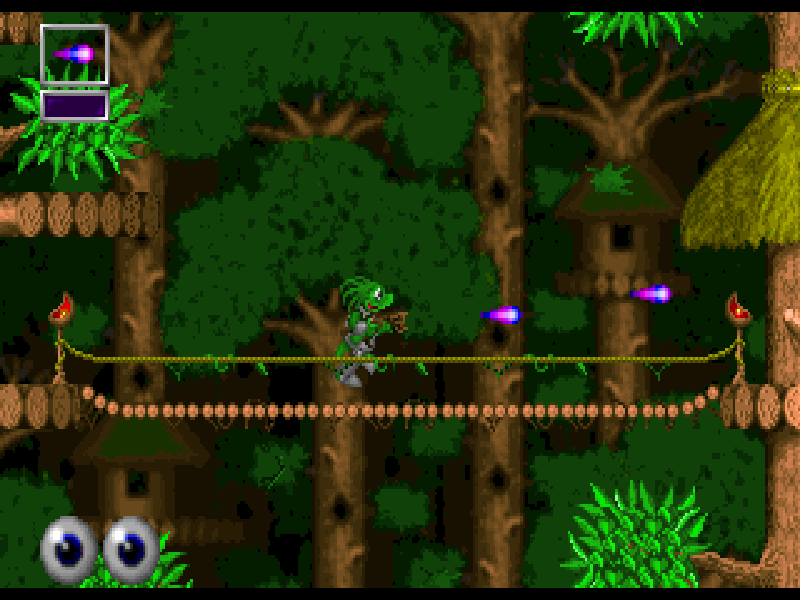
Guimo sends its small green hero into BitLand to confront Necterion. The action combines side-scrolling jumps, shooting and exploration: run along the forest paths, deal with creatures in the way and keep track of the weapons you collect. The first stage is Forest Village.
Use the arrow keys to move, jump and duck; Alt is a separate jump key. Space or Shift fires, and Ctrl changes weapons or gives orders to an Eggy Robot. The original manual also documents a map on Tab, pause on P and direct weapon selection on the number row. Weapons, shields and robots must be available before their commands can be useful.
This is Jack in the Box Computing’s Guimo shareware version 2.2, dated 1997 in its original manual. The startup identifies it as 20 percent of the complete game. Press a key at the shareware notice, continue through the original presentation, choose Select and then Forest Village. The game and its manual remain in English; the full registered release is not included.
Start here
Quick tips
Follow the opening screens to Select, then choose Forest Village. Loading has its own animation; wait for the character to appear.
Alt jumps and Space fires. Try moving and firing together once the stage is ready.
Use Tab for the map and P to pause; collected equipment determines which extra commands work.
- Left / Right
- Move left or right.
- Up
- Jump using the direction controls.
- Down
- Duck.
- Alt
- Jump.
- Space / Shift
- Fire the selected weapon.
- Ctrl
- Change weapon or give an order to an Eggy Robot.
- 1 / 2 / 3 / 4 / 5 / 6 / 7 / 8 / 9
- Select a weapon or item when available.
- S
- Use a shield when available.
- E
- Use an Eggy Robot when available.
- Tab
- Show the overall map.
- P
- Pause the game.
- Enter
- Confirm menu choices; toggle Kid Mode when playing at Kid difficulty.
- Esc
- Quit with confirmation.
Keep playing
Similar Games
Ratings & comments
Help improve this entry
Something not working?
Report a gameplay or information problem. Short reports are enough.
Archive notes
Rights and Source Notes
Browser play is available for this entry.
- Distribution
- Shareware
- Browser player
- js-dos · Browser play
- Added to archive
- 2026-11-05
No comments yet. Be the first to share a tip.