Blake Stone: Aliens of Gold
Saves are stored in this browser.
Player notes
About this game
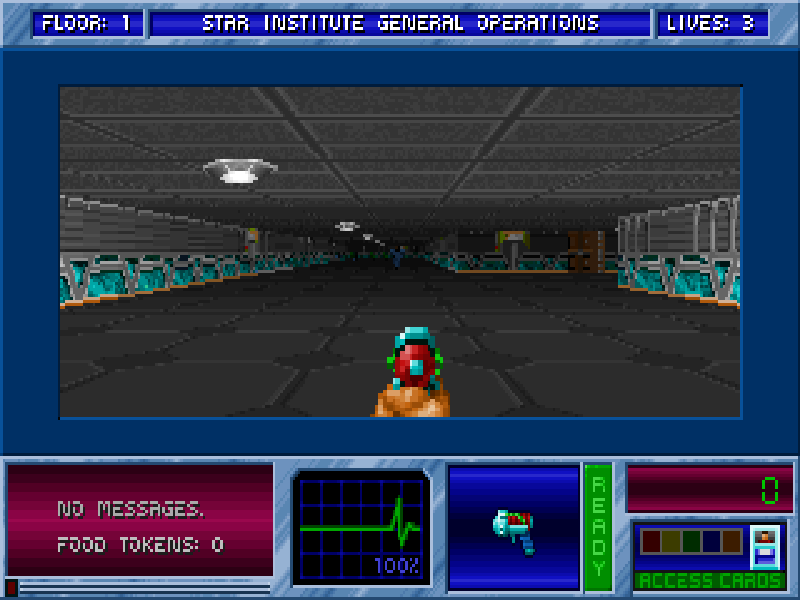
Blake Stone: Aliens of Gold is JAM Productions’ first-person DOS shooter, published by Apogee. This shareware edition takes you into the Star Institute, the first of the game’s missions. Read the briefing before exploring its corridors and confronting the guards and creatures inside.
Use the arrow keys to move forward or backward and turn, and Ctrl to fire. Enter confirms menu choices and continues the mission briefing. F1 opens the original help; its quick reference also documents F2 for saving and F3 for loading. Esc leaves help or opens the menu. This site does not replace the original settings, so consult the in-game control page if you change them. Space operates doors and switches. Hold Right Shift with a direction to run, or Alt with Left/Right to strafe. Number keys 1–5 select weapons you own, Tab toggles the map window, and P pauses.
This bundle uses the original 3.0 shareware release from November 1994, while the game’s first release dates to 1993. The installer, BSSW30.SHR archive, all extracted game files and Apogee’s VENDOR.DOC are preserved. Only Mission 1 is offered here; this is not the six-mission registered edition. The acceptance scope is startup and opening-level input, not a complete mission or cross-device save guarantee.
Start here
Quick tips
Choose Mission 1 and a difficulty, then press Enter to continue the briefing.
F1 opens the original reference rather than an external guide.
A shareware menu can list the registered missions without making them playable in this package.
- Up / Down
- Move forward or backward.
- Left / Right
- Turn left or right.
- Ctrl
- Fire the current weapon.
- Enter
- Confirm menu choices and continue the mission briefing.
- F1
- Open the original help.
- F2
- Open the native save-game menu.
- F3
- Open the native load-game menu.
- Esc
- Leave help or open the game menu.
- Space
- Use doors, switches and other nearby interactive objects.
- Right Shift
- Hold with a direction key to run.
- Alt + Left / Right
- Hold Alt while turning to strafe sideways.
- 1–5
- Select a weapon you currently possess.
- Tab
- Toggle the automap status window.
- P
- Pause the game.
Keep playing
Similar Games
Ratings & comments
Help improve this entry
Something not working?
Report a gameplay or information problem. Short reports are enough.
Archive notes
Rights and Source Notes
Browser play is available for this entry.
- Distribution
- Shareware
- Browser player
- js-dos · Browser play
- Added to archive
- 2026-11-06
No comments yet. Be the first to share a tip.