C-Dogs SDL
Save behavior varies by game. Check the notes below.
Player notes
About this game
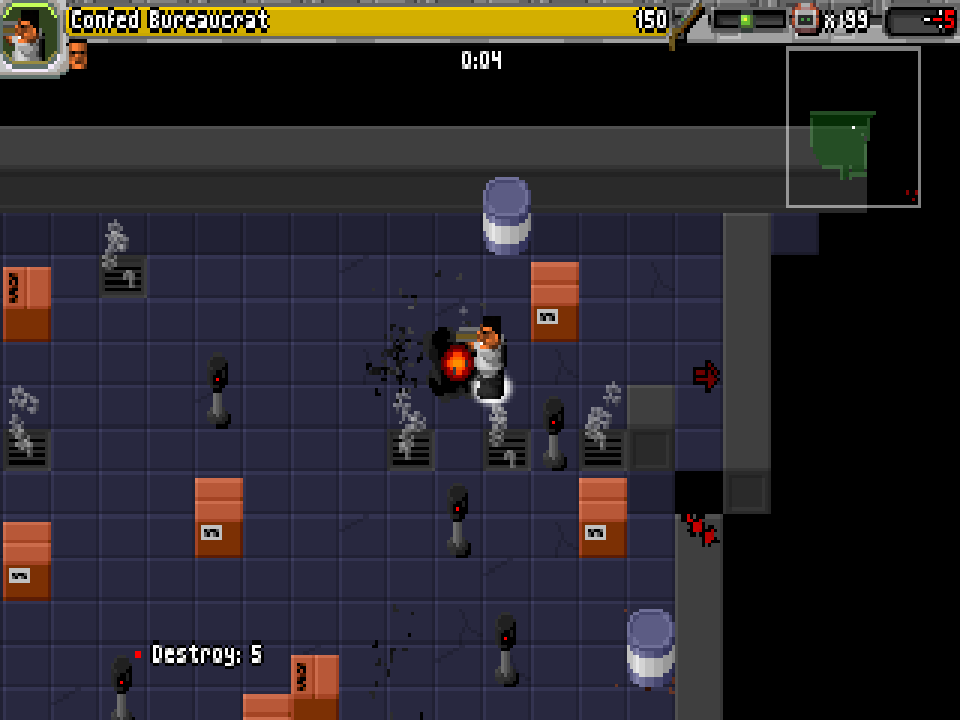
C-Dogs SDL is an overhead shooter built around short missions: clear enemies, destroy marked objects and find your way to the exit. Before setting out, you choose a character and a loadout. Facing matters, ammunition is limited, and an explosion can hurt you as easily as it hurts the enemy.
Ronny Wester created the original C-Dogs for DOS in 1997. This page runs the community's SDL source port, with browser fixes built from the pinned a388e391 source snapshot. It includes the two original campaigns, Ogre Rampage with 16 missions and Bug-Eyed Monsters with three, plus procedural Quick Play. The DOS edition has its own page here. Extra campaign packs, foreign-game imports and LAN play are not included.
Choose Start, then Campaign and a campaign name. Press X to join as keyboard player one; use the arrows to make selections and X or Enter to confirm. In a mission, arrows move and aim, X fires, Z switches weapons while standing still or slides with a direction, S throws an available grenade and A opens the map. By default, firing stops movement: release X to move again, or change FireMoveStyle in the game's options if you prefer another setting.
On a phone, the website's shared controller provides the direction pad, four action keys and menu keys. Configure lets you change the touch layout. Campaign progress is saved at completed mission boundaries and can be resumed through Continue; it is not a snapshot of an unfinished mission. Settings and progress stay in this browser when storage is available. Clearing site data removes them. The game's own menus and mission briefings remain in English.
Start here
Quick tips
Choose Start → Campaign, select a campaign and press X to join. Confirm your character and equipment before the mission begins.
Release X before trying to move: the original default is stop-and-fire. This is a gameplay setting, not a stuck direction pad.
Use Z with a direction to slide. While standing still, use it to change weapons; check your ammunition before moving into a crowded room.
Read the mission objective and use A to check the map. Killing every enemy is not always the only task; marked objects may need to be destroyed.
Finish a mission to retain campaign progress. Continue resumes the saved campaign boundary, not the exact position where you closed the page.
- Arrow keys
- Move and aim; navigate menus
- X
- Fire; join as keyboard player one and confirm selections
- Z
- Switch weapon while stationary; slide with a direction; cancel a selection
- S
- Throw a grenade when available
- A
- Toggle the map
- Enter
- Confirm menu choices
- Esc
- Pause or return to the previous menu
Keep playing
Similar Games
Ratings & comments
Help improve this entry
Something not working?
Report a gameplay or information problem. Short reports are enough.
Archive notes
Rights and Source Notes
Browser play is available for this entry. Official project references are listed below.
- Distribution
- Source restoration
- Browser player
- WebAssembly · Browser play
- Added to archive
- 2026-10-23
- Official references
- Source code
- Download open-source code packageSource code only; this is not a game ROM download.
No comments yet. Be the first to share a tip.