Clyde's Adventure
Saves are stored in this browser.
Player notes
About this game
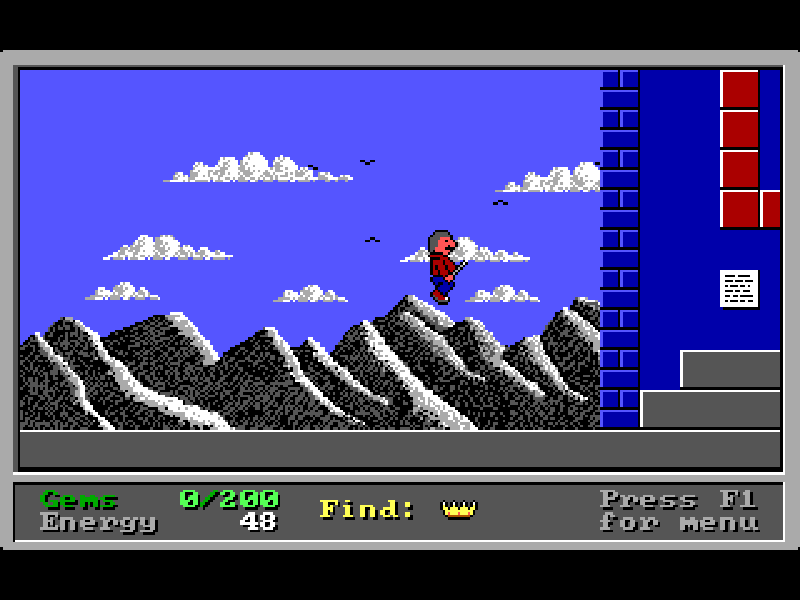
Clyde's Adventure is a DOS platform puzzle game from Moonlite Software. Its castles reward careful exploration: each one asks you to find all its magic gems and a hidden treasure before reaching the exit. Walking and jumping are only part of the challenge; switches, teleporters and concealed triggers can change the route around you.
Clyde carries a wand that breaks certain bricks and lights bombs. Broken bricks return after a short time, so an opening is not a permanent shortcut. The Up arrow reads signs, operates switches and activates teleporters. Power points replenish Clyde's energy, while running out of energy ends the attempt.
At the main menu, press C to choose a castle, then use Up and Down and confirm with Enter. The first castles are available immediately; later ones require collected gems. During play, F1 opens the menu, where the original game offers save and restore options. Read the signs and explore side passages before committing to a one-way drop.
This is Chapter One, version 3.0, released as shareware in January 1993. The original Moonlite Software files and CLYDE_V3 archive are preserved. Its license permits unchanged distribution and specifies a 30-day evaluation period; this package is not presented as unrestricted freeware or as the registered second chapter.
Start here
Quick tips
Press C at the menu to choose a castle; Enter confirms the highlighted castle.
Use Up beside a sign, switch or teleporter. Jumping alone will not activate it.
Move promptly through bricks opened with the wand: they become solid again.
Collect power points as well as gems, and find the hidden treasure before looking for the exit.
- Left / Right
- Walk left or right
- Alt
- Jump; combine with Left or Right
- Ctrl
- Use the magic wand
- Up
- Read signs, operate switches or use teleporters
- C
- Start: choose a castle from the main menu
- Enter
- Confirm the selected castle
- F1
- Open the game menu
- P
- Read playing instructions from the main menu
- S
- Save through the game menu
- R
- Restore through the game menu
- F9
- Slow the game down
- F10
- Undo a speed reduction
- Up / Down
- Select a castle in the castle menu
Keep playing
Similar Games
Ratings & comments
Help improve this entry
Something not working?
Report a gameplay or information problem. Short reports are enough.
Archive notes
Rights and Source Notes
Browser play is available for this entry.
- Distribution
- Shareware
- Browser player
- js-dos · Browser play
- Added to archive
- 2026-10-31
No comments yet. Be the first to share a tip.