Cosmo's Cosmic Adventure
Saves are stored in this browser.
Player notes
About this game
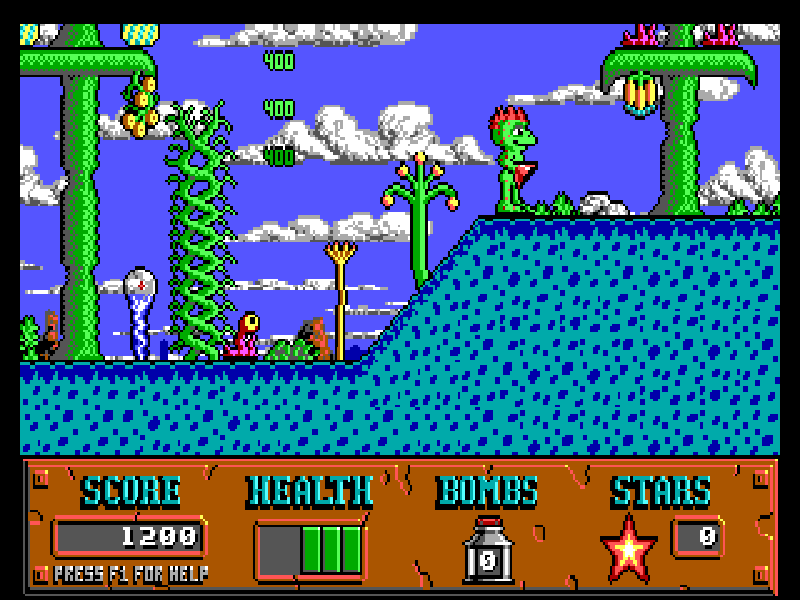
Cosmo’s Cosmic Adventure is a 1992 Apogee Software platform game about a small alien searching for his missing parents. The first episode, Forbidden Planet, takes him through landscapes full of unusual creatures, collectible food and concealed routes. His suction-cup hands let him cling to walls instead of relying only on ordinary jumps.
Ctrl jumps and Alt drops a bomb when one is available. Jumping onto creatures is another way to defend yourself, while a wall can become a route upward. Slippery surfaces are an exception: Cosmo cannot hold onto them as securely. Up and Down let you look beyond the visible play area before committing to a jump.
Press B at the main menu to begin. Hint globes explain objects as you reach them, so pause to read the first ones. F1 opens the help menu, with save, restore and control settings. The default keyboard layout can be inspected under Game Redefine, then Keyboard Redefine.
The hosted version is the original DOS 1.20 shareware release of Forbidden Planet. The two later episodes are not part of this package.
Start here
Quick tips
Use the suction-cup grip to explore walls, but do not expect the same grip on slippery surfaces.
Up and Down reveal more of the level above or below you before a risky jump.
Bombs must be collected before Alt can use them. Read hint globes when an unfamiliar object appears.
- Left / Right
- Move left or right
- Ctrl
- Jump
- Alt
- Drop a bomb when available
- Up / Down
- Look up or down
- B
- Begin a new game from the main menu
- F1
- Open help, save/restore and control settings
- Esc
- Close menus
- Space
- Finish displaying a hint message
Keep playing
Similar Games
Help improve this entry
Something not working?
Report a gameplay or information problem. Short reports are enough.
Archive notes
Rights and Source Notes
Browser play is available for this entry.
- Distribution
- Shareware
- Browser player
- js-dos · Browser play
- Added to archive
- 2026-10-16