Dark Ages
Saves are stored in this browser.
Player notes
About this game
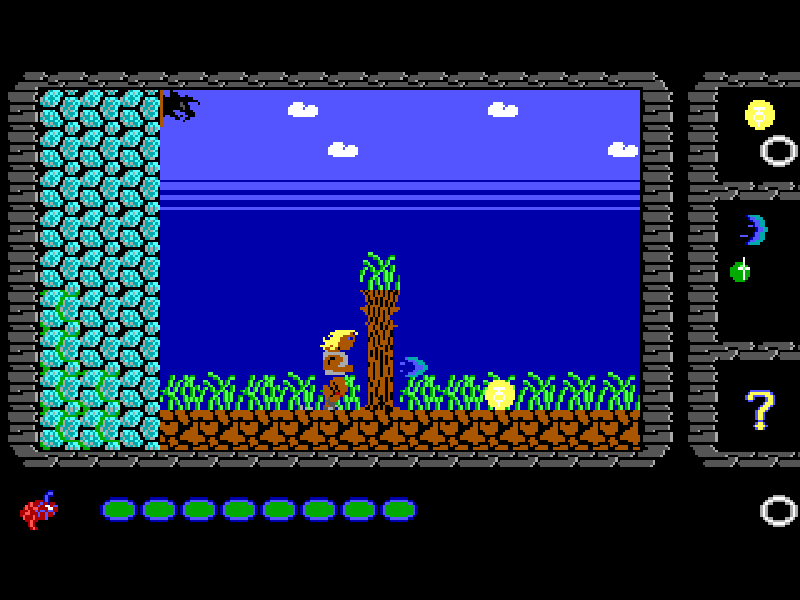
Dark Ages follows a prince trying to free the Great Kingdom from the warlord Garth. The route runs through hostile countryside, castles and underground passages. Energy bolts keep enemies at a distance, while careful jumps help you reach ledges and avoid hazards. Coins also matter to survival: on Easy, collecting ten restores one unit of health.
The controls have separate jump and fire keys. Left and Right move, Ctrl jumps, and Alt fires an energy bolt. Tap Alt repeatedly; the original instructions reserve automatic continuous fire for a registration password. Up or Enter talks to a nearby wise man and enters a revealed doorway. A wise man may require an item before helping you.
Choose a volume with 1, 2 or 3 at startup, then press B at its main menu to begin or restore a game. I opens Instructions. During play, S saves and R restores, followed by a confirmation prompt. The tested restore returned to the beginning of the saved level, so do not treat it as an exact-position quicksave.
This is Apogee's complete March 2009 freeware release: Prince of Destiny, The Undead Kingdom and Dungeons of Doom. Todd Replogle created the program at Scenario Software, Allen H. Blum III supplied art and animation, and Keith Schuler composed the music. The original files and publisher's release notes are preserved. The game remains in English; its copyright is retained, and the freeware release is not permission to sell the game or reuse its art in other projects.
Start here
Quick tips
At startup, press 1–3 to choose a volume; press B at the game's main menu. I shows its original instructions.
Tap Alt to cast successive bolts. Holding it is not the default rapid-fire mode in this original release.
Stand close to a wise man and press Up. Bring the requested item, then use Up to enter the doorway he reveals.
S and R open save/restore confirmations. The tested restore resumes at the level's start, not the exact spot where S was pressed.
- 1
- Begin Prince of Destiny from the volume selector
- 2 / 3
- Choose The Undead Kingdom or Dungeons of Doom from the volume selector
- B
- Begin or restore a game from the main menu
- I
- Read the original instructions from the main menu
- Left / Right
- Move left or right
- Ctrl
- Jump
- Alt
- Fire an energy bolt; tap for repeated shots
- Up
- Talk to a nearby wise man or enter a doorway
- Enter
- Confirm menus, talk or enter a doorway
- S
- Save the level with confirmation
- R
- Restore the saved level with confirmation
- Y
- Confirm a save, restore or quit prompt
- Space
- Continue instruction and score screens
- Esc
- Open the quit prompt during play
Keep playing
Similar Games
Ratings & comments
Help improve this entry
Something not working?
Report a gameplay or information problem. Short reports are enough.
Archive notes
Rights and Source Notes
Browser play is available for this entry.
- Distribution
- Freeware
- Browser player
- js-dos · Browser play
- Added to archive
- 2026-10-31
No comments yet. Be the first to share a tip.