Dave Gnukem
Save behavior varies by game. Check the notes below.
Player notes
About this game
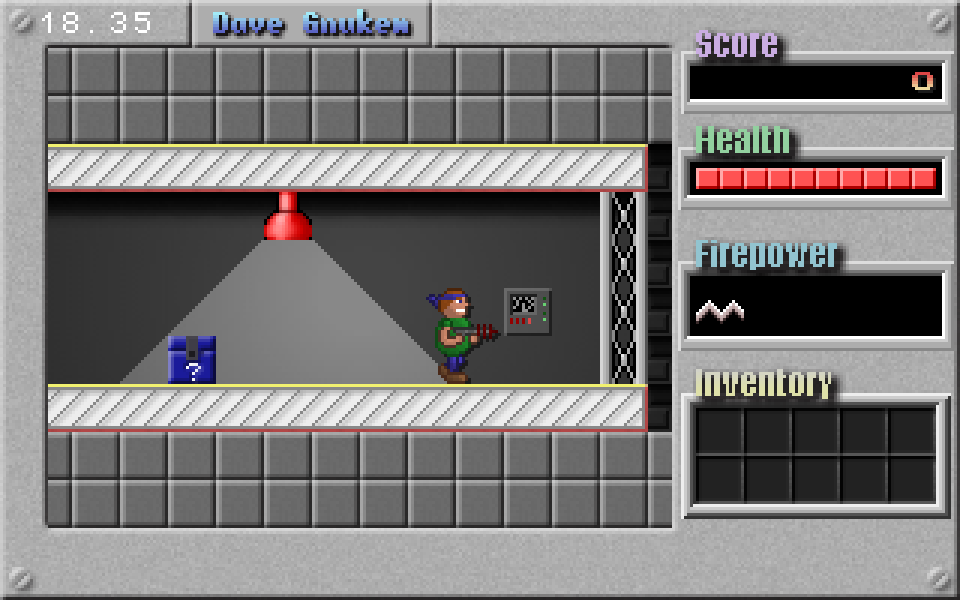
Dave Gnukem is a side-scrolling platform shooter by David Joffe and contributors. Its chunky rooms, key hunts and jump-and-shoot rhythm draw on Duke Nukem 1, but it has its own levels and artwork. Explore the route ahead, use switches and doors, and watch for enemies while collecting items. Evil Mr Henry contributed character sprites, and Steve Merrifield contributed levels.
Development began in the 1990s, with version 1.0 released in April 2018. This edition runs a pinned modern SDL source build in your browser; it is not a DOS executable. The browser work fixes the old Web build and input waits, connects the shared touch controls, and adds pause, mute and local native-file persistence. Game menus remain in English.
Use Left and Right to move, Ctrl to jump, Alt to fire and Up to interact. Up and Down select menu items, and Enter confirms. Open the in-game menu with Esc, then choose Save Game or Restore game. Saving records a level-start checkpoint rather than your exact position; it stays in this browser on this site. Use Saves to upload a cloud backup manually and restore it on another device.
Sound starts muted. Effects load with the game, while Eric Matyas’s original music downloads when sound is enabled. If a music file fails to load, gameplay and effects remain available. The source download includes the pinned game and data, browser changes, build instructions and original credits. The first level and browser features have been checked; full-campaign completion and physical-phone performance have not been verified.
Start here
Quick tips
Use Up beside doors or switches; moving past an object does not activate it.
On a phone, hold a direction and Jump or Fire together. Menu controls remain available below the action buttons.
Choose Save Game from the Esc menu before leaving. Restore game resumes a level-start checkpoint, not the exact spot where you saved.
Keep the original key assignments unless you also update the touch bindings. Clearing browser data removes local saves and settings.
- Left / Right
- Move left or right
- Up
- Use doors, switches and nearby interactive objects; move up in menus
- Down
- Move down through menu choices
- Ctrl
- Jump
- Alt
- Fire your weapon
- Enter
- Confirm a menu choice
- Esc
- Open the pause menu or go back; choose Save Game or Restore Game from the menu
Keep playing
Similar Games
Ratings & comments
Help improve this entry
Something not working?
Report a gameplay or information problem. Short reports are enough.
Archive notes
Rights and Source Notes
Browser play is available for this entry. Official project references are listed below.
- Distribution
- Source restoration
- Browser player
- WebAssembly · Browser play
- Added to archive
- 2026-10-24
- Official references
- Source code
- Download open-source code packageSource code only; this is not a game ROM download.
No comments yet. Be the first to share a tip.