Electranoid
Saves are stored in this browser.
Player notes
About this game
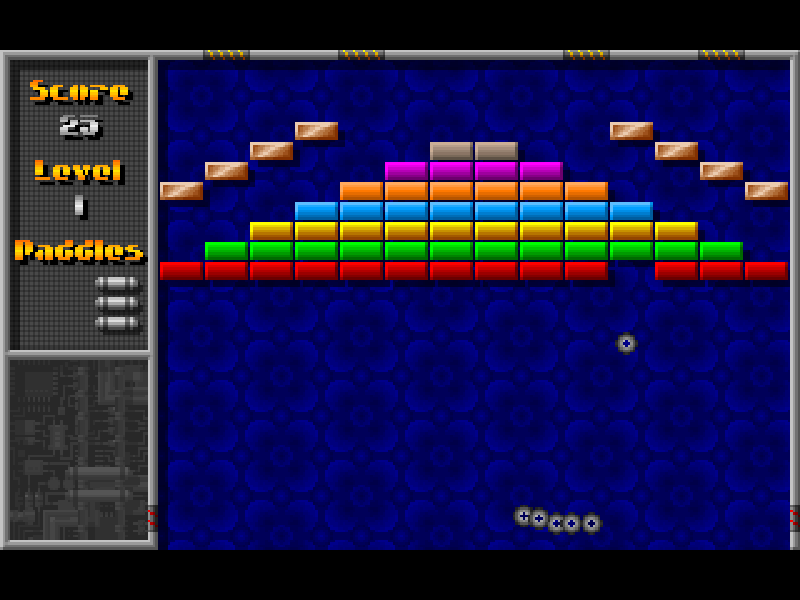
Electranoid is Pixel Painters Corporation’s mouse-controlled brick breaker. You move a small paddle beneath a wall of colored bricks, keep the ball in play and watch the score grow as blocks disappear. The original release also introduces enemy fighters, lasers and missiles, giving its familiar ball-and-paddle setup a more combative character.
Press Enter to continue through the startup and title screens, then select Play from the main menu. Once the first level is ready, move the mouse to position the paddle and click the left button to launch the waiting ball. Follow the ball’s return path rather than chasing it only after it is already near the bottom edge. The score and remaining paddles are shown in the left-hand panel.
Esc opens the original Pause overlay, where Play resumes and Quit leaves the current game. The game requires mouse input: arrow keys are not a substitute for paddle control. On a touchscreen, use the website player’s mouse controls rather than assuming a directional pad will operate the paddle. A desktop mouse offers the most direct control.
This is DOS shareware release 1.11s, with the original Pixel Painters license, documentation and archive preserved. The package requires extended or expanded memory; this browser configuration supplies XMS. The original license viewer is included, and its exported text is retained in our source review. Historical registration information is not a promise of a currently available purchase.
Start here
Quick tips
Continue through the startup screens with Enter and select Play. Wait for the level banner to clear, then move the mouse and click to launch the ball.
Track where the ball is heading back toward the paddle; avoid large last-second movements.
Use Esc for the original pause menu. This is a mouse game, so a keyboard directional pad alone will not move the paddle.
- Enter
- Continue past the startup prompt
- Esc
- Open the original pause menu
- Mouse
- Move the paddle horizontally
- Left mouse button
- Launch the waiting ball; select menu options
Keep playing
Similar Games
Ratings & comments
Help improve this entry
Something not working?
Report a gameplay or information problem. Short reports are enough.
Archive notes
Rights and Source Notes
Browser play is available for this entry.
- Distribution
- Shareware
- Browser player
- js-dos · Browser play
- Added to archive
- 2026-11-02
No comments yet. Be the first to share a tip.