Extreme Pinball
Saves are stored in this browser.
Player notes
About this game
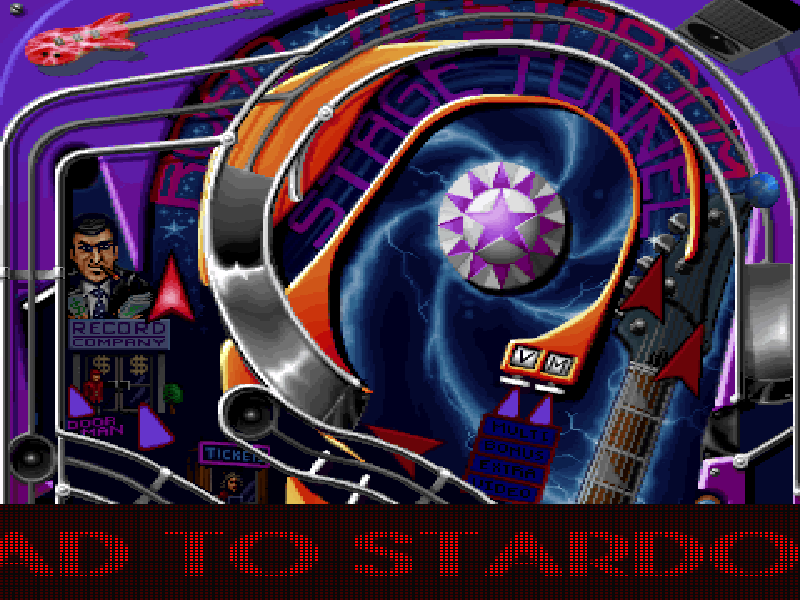
Extreme Pinball is Digital Extremes’ 1995 DOS pinball game, published by Epic MegaGames. This shareware release centres on Rock Fantasy, a music-themed table filled with ramps, lights and animated scenery. Follow the ball as the tall table scrolls rather than trying to view the whole playfield at once.
At the table, press Down to begin. Hold Down to pull back the plunger, then release it to launch. Left Shift and Right Shift operate the respective flippers. The original instructions also list Space, Z and / for nudging, Page Up and Page Down for scrolling, and Esc for returning to the main menu. Nudging is not the same as firing the plunger.
The original version 1.0 shareware files, Epic licence and source ZIP are preserved. Sound Blaster 16 settings were generated using the original SETUP program; its configuration changes are recorded separately from the original files. The check covered entering Rock Fantasy and launching a ball. It does not certify a full game, every table, audible quality or real-phone input.
Start here
Quick tips
Use Down, not Space, to pull and release the plunger.
The two Shift keys are separate flipper controls.
The other table choices in a shareware menu do not make this the registered four-table edition.
- Down
- Begin a game; hold to pull the plunger and release to launch the ball.
- Left Shift
- Operate the left flipper.
- Right Shift
- Operate the right flipper.
- Space / Z / Slash
- Nudge the table, as listed in the original instructions.
- Page Up / Page Down
- Scroll the table view.
- Up / Down
- Select a menu item.
- Enter
- Confirm the highlighted menu item.
- Esc
- Return to the main menu.
Keep playing
Similar Games
Ratings & comments
Help improve this entry
Something not working?
Report a gameplay or information problem. Short reports are enough.
Archive notes
Rights and Source Notes
Browser play is available for this entry.
- Distribution
- Shareware
- Browser player
- js-dos · Browser play
- Added to archive
- 2026-11-06
No comments yet. Be the first to share a tip.