Heretic
Saves are stored in this browser.
Player notes
About this game
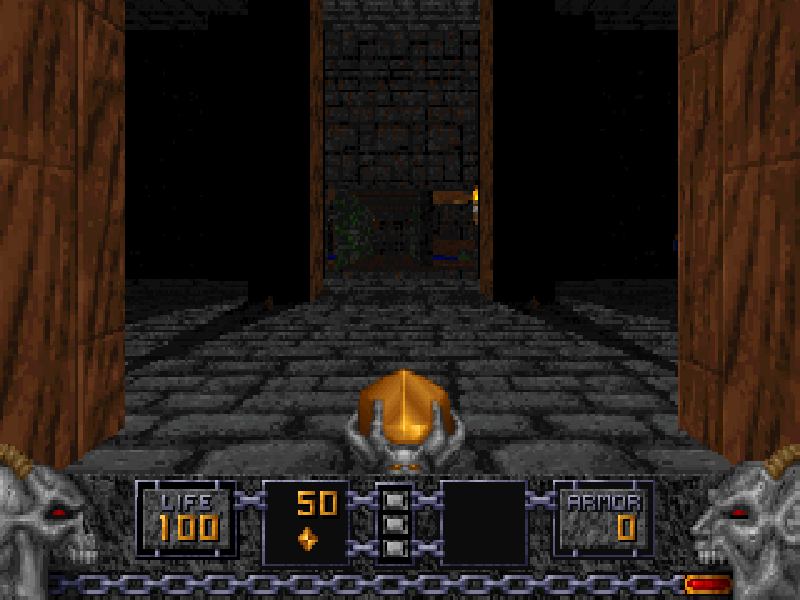
Heretic takes the first-person maze shooter into a world of spellcasting enemies, magical weapons and useful artifacts. You begin with an Elven Wand, then search connected rooms and courtyards for ammunition, keys and the route onward. Finding supplies and keeping an escape route open matter as much as aiming.
Choose New Game, the first episode and a difficulty to begin. The arrow keys move forward or backward and turn; hold Alt with Left or Right to sidestep. Ctrl fires and Space opens doors or operates switches. Unlike a modern mouse-look shooter, the original keyboard layout uses Page Down to look up, Delete to look down and End to centre your view.
Artifacts have their own inventory: use [ and ] to choose an item, then Enter to use it. Tab opens the map, and F1 shows the original reference screens. Save from F2 and load from F3. Flight controls apply only while the appropriate artifact is active, rather than granting unlimited flight.
This is Raven Software's 1994 game in its original DOS 1.2 shareware edition, containing the City of the Damned episode. It does not include the registered game's later episodes or a modern remaster. The original installer archive, installed files and distribution notices are preserved; the game and its menus remain in English.
Start here
Quick tips
Pick a lower difficulty while learning the original movement. Alt plus Left or Right lets you dodge without turning away from an enemy.
Use Tab to inspect the map when corridors begin to look alike. Press Tab again to return to the game.
Select an artifact with [ or ] before pressing Enter; this uses the selected item, not every item in the inventory.
Use F2 before exploring an unfamiliar area. F3 opens the load menu; keeping several native save slots makes it easier to try another route.
- Arrow keys
- Move forward/backward and turn
- Ctrl
- Fire the selected weapon
- Space
- Open a door or use a switch
- Alt + Left / Right
- Strafe without turning
- Shift
- Hold to run
- 1 / 2 / 3 / 4
- Select an available weapon
- [ / ]
- Select the previous or next inventory item
- Enter
- Use the selected inventory item; confirm menus
- Tab
- Open or close the map
- Page Down
- Look up
- Delete
- Look down
- End
- Centre the view
- Page Up / Insert / Home
- Fly up / fly down / stop flying while a flight artifact is active
- F1
- Open the original help screens
- F2
- Open the save menu
- F3
- Open the load menu
- Esc
- Open or leave the main menu
Keep playing
Similar Games
Ratings & comments
Help improve this entry
Something not working?
Report a gameplay or information problem. Short reports are enough.
Archive notes
Rights and Source Notes
Browser play is available for this entry.
- Distribution
- Shareware
- Browser player
- js-dos · Browser play
- Added to archive
- 2026-10-31
No comments yet. Be the first to share a tip.