Highway Hunter
Saves are stored in this browser.
Player notes
About this game
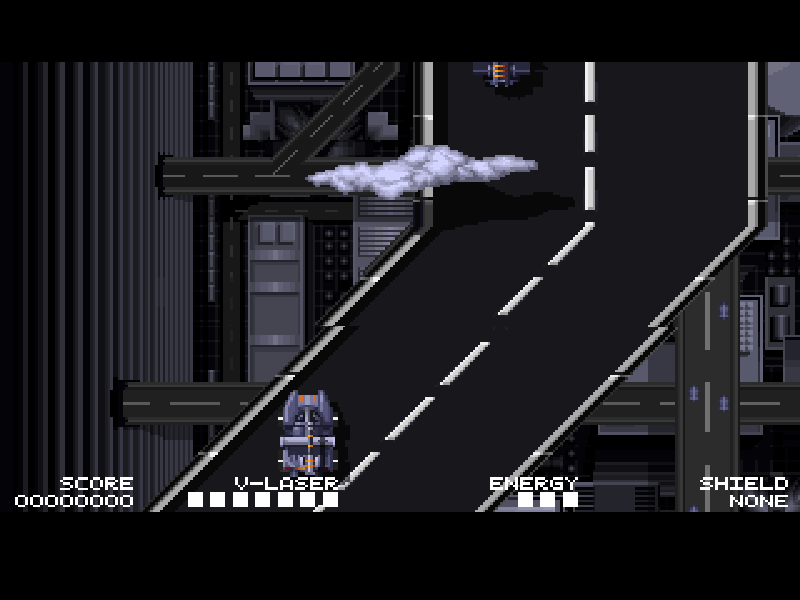
Highway Hunter turns a road into a vertically scrolling battlefield. You guide the Master assault vehicle through hostile traffic and enemy formations, moving across the highway while firing ahead. This DOS release was created by Omega Integral Systems and published by Safari Software in 1994.
The arrow keys move the vehicle and Ctrl fires its current weapon. P pauses and resumes play. Choose Start Game and the available Evil Drivers episode with Enter, then continue past its introduction. The game's original menu also offers difficulty and speed settings; the supplied fresh configuration keeps keyboard control and the default choices.
Collect upgrade modules by driving into them. C unleashes a photon pulse against enemies on screen, O grants temporary invincibility, and U supplies weapon units. Building up enough units upgrades your weapon, but the stronger weapons consume energy and drop back to a weaker type when that energy runs out. Shield modules provide different forms of temporary protection.
This package contains version 1.0's five-level first episode. The two registered episodes are not included. The original shareware files, manual and distribution notice remain intact; only a fresh sound-hardware configuration is added so the browser launch does not repeat the first-run setup. Old ordering details inside the game are preserved as historical material.
Start here
Quick tips
Choose Start Game, then Evil Drivers, using Enter. Press Enter again to leave the chapter introduction.
Hold Ctrl while steering, but leave yourself room to dodge. Moving targets and bends in the road demand frequent corrections.
U modules supply weapon energy; C and O have different immediate effects. Do not mistake these pickup letters for keyboard commands.
P pauses and resumes. If Game Over offers Continue, use Y to continue or N to decline.
- Arrow keys
- Move the assault vehicle in four directions
- Ctrl
- Fire the current weapon
- Enter
- Confirm menus and continue the chapter introduction
- P
- Pause or resume play
- Y
- Accept Continue after game over
- N
- Decline Continue after game over
- Esc
- Quit or leave the current game menu
Keep playing
Similar Games
Ratings & comments
Help improve this entry
Something not working?
Report a gameplay or information problem. Short reports are enough.
Archive notes
Rights and Source Notes
Browser play is available for this entry.
- Distribution
- Shareware
- Browser player
- js-dos · Browser play
- Added to archive
- 2026-10-31
No comments yet. Be the first to share a tip.