Xatax
Saves are stored in this browser.
Player notes
About this game
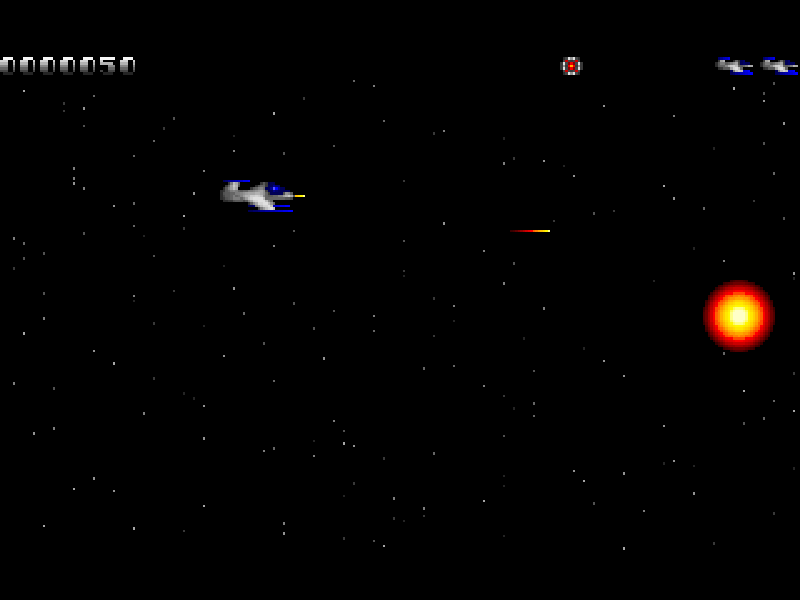
Xatax is a horizontally scrolling shooter from Pixel Painters Corporation. You steer a small spacecraft through waves of airborne and ground-based enemies, collecting the pellets they leave behind. The setting is an alliance under attack, but the immediate challenge is reading enemy patterns and keeping space to dodge.
The arrow keys move in four directions, with diagonal movement available by holding two directions together. Ctrl fires the current weapon and Alt releases a bomb. Space pauses the game, while Esc offers options to quit or restart the level. After a game over, the original prompt offers F10 to restart that level or Enter to end the game.
Power Up pellets strengthen the weapon. Rapid Fire is a separate pickup: after collecting it, holding Ctrl produces continuous fire. Missile pellets add angled missiles, shield pellets offer temporary protection, and extra-life pellets increase the reserve up to four. These are pickup effects, not extra keyboard commands.
This is DOS version 1.00s, containing Episode 1: Defending the Guilds. The later Mutant Wasteland and Endless Consumption episodes are not part of this shareware package. All ten original files, including the license and README, remain unchanged. Use Introduction > Playing the game for the original control and pickup guide; Setup adjusts difficulty and sound options.
Start here
Quick tips
Press Enter at the initial 'Press any key' prompt. Choose Begin, Episode 1, then continue at the level-start prompt.
Tap Ctrl to fire with the starting weapon. The Rapid Fire pellet enables continuous shots while holding it.
Alt releases a bomb; Space pauses. They have different jobs even though both are near the movement controls on the touch panel.
The game-over screen offers F10 to retry the level. Introduction > Playing the game explains controls and pickups, with Page Up/Page Down to scroll.
- Arrow keys
- Move the ship; combine two directions to move diagonally
- Ctrl
- Fire; hold for continuous shots after collecting Rapid Fire
- Alt
- Release a bomb
- Space
- Pause the game
- Enter
- Confirm menus and continue level-start prompts
- Esc
- Open quit/restart options or leave a menu
- F10
- Restart the current level from the game-over screen
- Page Up / Page Down
- Scroll the original Playing the game instructions
Keep playing
Similar Games
Ratings & comments
Help improve this entry
Something not working?
Report a gameplay or information problem. Short reports are enough.
Archive notes
Rights and Source Notes
Browser play is available for this entry.
- Distribution
- Shareware
- Browser player
- js-dos · Browser play
- Added to archive
- 2026-10-31
No comments yet. Be the first to share a tip.