Kiloblaster
Saves are stored in this browser.
Player notes
About this game
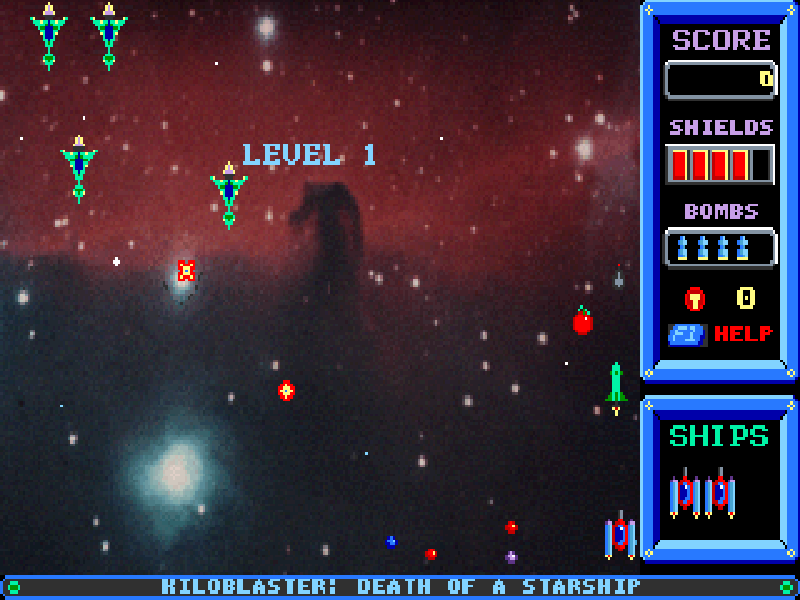
Kiloblaster takes the formation-shooting idea and gives your small spacecraft room to move around the screen. Enemies arrive in patterns, break formation and fill the playfield with hazards. Collectable items and a limited stock of bombs add decisions beyond simply holding fire.
The keyboard controls are straightforward: move with the arrow keys, fire with Space or Shift, and use Alt for a bomb. P pauses the game. The main menu includes Instructions, and F1 opens help during play.
This is version 2.0 of Death of a Starship, the thirty-level first episode distributed as shareware by Epic MegaGames. Shareware was offered for players to try before registering the other episodes. This page does not include the registered episodes; the complete original shareware package and its license are retained.
Start here
Quick tips
Keep the first episode selected and press Enter. Press Enter again at the hardware summary, then start a new game from the menu.
Keep firing while changing position, but leave room to escape from the edges.
Watch the bomb counter before pressing Alt; bombs are a limited resource.
Start at the ordinary speed before trying Expert Mode. The original game also offers a slower Granny Mode.
- Arrow keys
- Move the spacecraft; navigate menus
- Space / Shift
- Fire
- Alt
- Use a bomb
- P
- Pause or resume
- S
- Save the game
- L
- Load a saved game
- F1
- Open help
- F2
- Toggle Expert Mode
- F3
- Toggle the slower Granny Mode
- Enter
- Confirm a menu choice
- Esc / Q
- Open the quit prompt
- Y
- Confirm quitting
Keep playing
Similar Games

Help improve this entry
Something not working?
Report a gameplay or information problem. Short reports are enough.
Archive notes
Rights and Source Notes
Browser play is available for this entry.
- Distribution
- Shareware
- Browser player
- js-dos · Browser play
- Added to archive
- 2026-10-17