Kraptor
Saves are stored in this browser.
Player notes
About this game
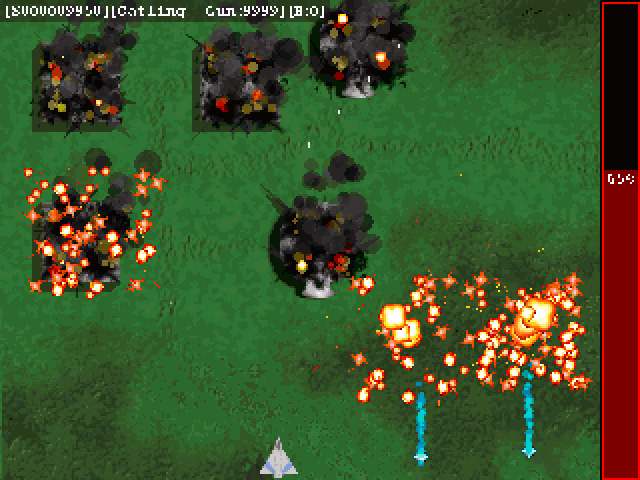
Kraptor is a top-down shooter by Kronoman. Fly through ten scrolling missions, fight waves of attackers and spend earnings on weapons and upgrades between stages. Different weapons cover different parts of the screen, and the game lets you choose a difficulty before a new run.
Click Game, then New Game, and choose a difficulty. Select OK in the equipment shop to fly the mission. Once your ship appears, use the arrow keys to move, Z to fire, X to change weapon and C to use a bomb. The Configuration menu shows the original key settings.
This is the 2004 DOS build. The browser launcher uses the original 320 × 240 mode. The original credits are included. The opening data load and cutscenes can take a little while.
Start here
Quick tips
Click Game → New Game to begin.
Use Z to fire and X to change weapon.
Save bombs for crowded waves.
- Arrow keys
- Move your ship
- Z
- Fire
- X
- Change weapon
- C
- Use a bomb
- Esc
- Leave an intro or mission screen
- Mouse left button
- Choose a menu item or difficulty
Keep playing
Similar Games
Ratings & comments
Help improve this entry
Something not working?
Report a gameplay or information problem. Short reports are enough.
Archive notes
Rights and Source Notes
Browser play is available for this entry. Official project references are listed below.
- Distribution
- MIT (game and data)
- Browser player
- js-dos · Browser play
- Added to archive
- 2026-11-19
- Official references
- Source code
- Download open-source code packageSource code only; this is not a game ROM download.
No comments yet. Be the first to share a tip.