OpenTyrian
Save behavior varies by game. Check the notes below.
Player notes
About this game
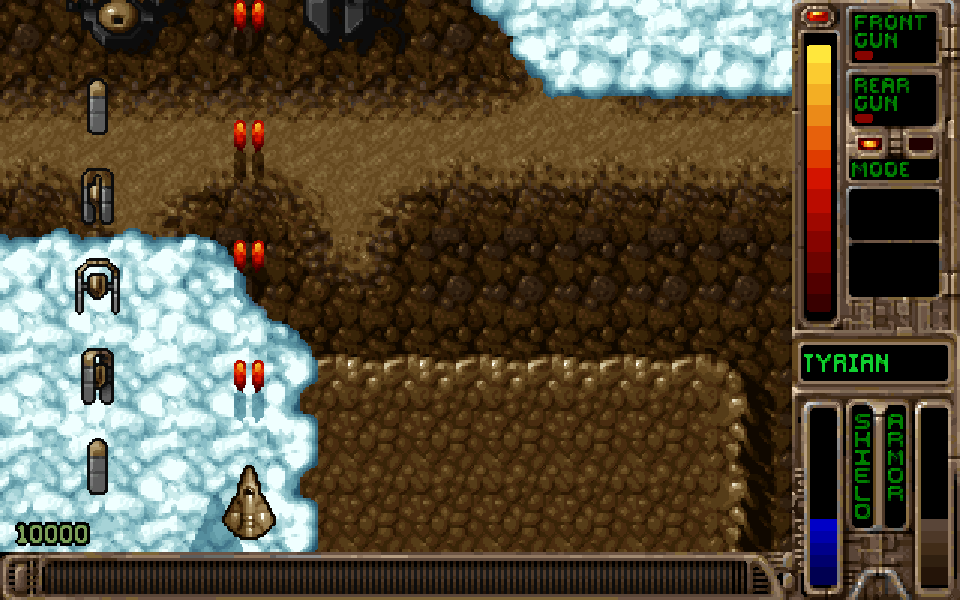
OpenTyrian brings Tyrian's vertically scrolling space battles to a modern source port. Guide Trent Hawkins through waves of enemy ships, weave between shots and collect cash to improve your equipment. The original pixel artwork, music and weapon systems remain at the heart of the game.
This unofficial browser build uses the OpenTyrian Development Team's C port with the freeware Tyrian 2.1 data distributed by that project. Its four episodes distinguish it from the DOS 2.0 first-episode shareware edition hosted separately here. It is not Tyrian 2000, and does not include that release's fifth episode.
For story progression, choose Start New Game, Full Game, an episode and a difficulty. Full Game includes an equipment shop between stages; choose Play Next Level to launch. Arcade mode takes a more direct approach. This page's controls and testing cover single-player play; online multiplayer is not available.
The website's touch buttons use the same keys as the keyboard, and Configure lets you adjust their arrangement. Native save slots and settings persist in this browser when storage is available. The original save system resumes at a stage boundary; it does not capture the exact instant you leave a battle. These files cannot import the separate DOS version's emulator snapshots. Switching tabs pauses the browser player. Game screens and menus remain in English.
Start here
Quick tips
In Full Game mode, choose Play Next Level in the equipment shop, then confirm the destination to enter the stage.
Hold Space to fire and make small direction changes to slip between incoming shots. Touchscreens support holding a direction and an attack together.
Enter changes the rear firing mode. Ctrl and Alt activate the left and right sidekicks only when the corresponding equipment is fitted.
P pauses the original game; press a non-modifier key to continue. Esc opens the in-game menu. After switching tabs, use the website's continue button.
Use the original Load Game menu to resume a native save. Keep using the same browser and site; clearing browser data removes stored saves and settings.
- Arrow keys
- Move the ship; navigate menus
- Space
- Fire
- Enter
- Change rear firing mode; confirm menu selection
- Ctrl
- Fire the left sidekick when equipped
- Alt
- Fire the right sidekick when equipped
- P
- Pause; press a non-modifier key to continue
- Esc
- Open the in-game menu or go back
Keep playing
Similar Games
Ratings & comments
Help improve this entry
Something not working?
Report a gameplay or information problem. Short reports are enough.
Archive notes
Rights and Source Notes
Browser play is available for this entry. Official project references are listed below.
- Distribution
- Source restoration
- Browser player
- WebAssembly · Browser play
- Added to archive
- 2026-10-21
- Official references
- Source code
- Download open-source code packageSource code only; this is not a game ROM download.
No comments yet. Be the first to share a tip.